



December 10, 2021
Problem:
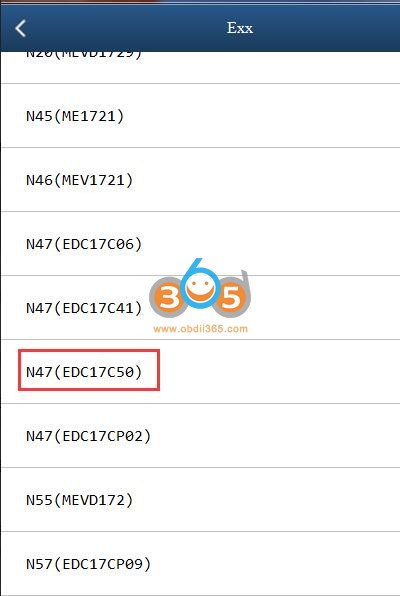
Hi team, may you please assist. Under which ECU type must I read this withYanhua Mini ACDP. I need to read Isn from this ECU. I've tried a few and getting communications errors. This is ecu Edc17c50.




Posted by: jean at
07:02 AM
| No Comments
| Add Comment
Post contains 114 words, total size 5 kb.
December 09, 2021
To perform VW Audi 4th generation Dashboard instrument replacement with any ofLaunch X431 PAD VII,PAD V,X431 V+PRO diagnostic scan tools andX431 Xprog3G3 immo programmer. This function needs to be carried out when Instrument Replacement is required.
Step-step-guide:
- First install the original instrument, read original Anti-theft data from the function of Key Matching through OBD. Detailed operations: select [Special Features] -> [Anti-Theft Function], read the disclaimer carefully, and click "OK†, Select [Generation 4 And Above Immobilizer System].

- Select [Anti-theft Key Matching].

- Select [Key Learning].

- Connect the diagnostic connector and Anti-theft programmer according to the information shown in the diagram, and click "OKâ€.

- Select [4th Generation Immobilizer].

- Select [4th Generation CAN Instrument].

- Select [Automatic Diagnostic Type], if the instrument type is already known, you can directly select the corresponding type to enter.

- Select [Step 2: Read Anti-theft Data] to read the Anti-theft data of original instrument.
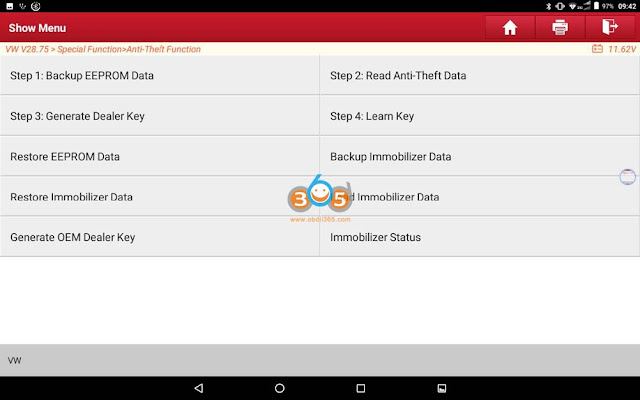
- Please insert the key or place the key near the key sensing area and turn on the ignition switch, and click "OKâ€.;

- Click "Yes†to save the Anti-theft data.
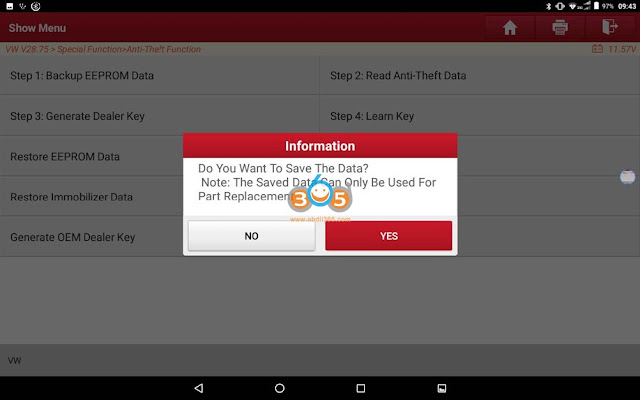
- Please input the file name, click "OKâ€, you can also select the save path, click "OKâ€.


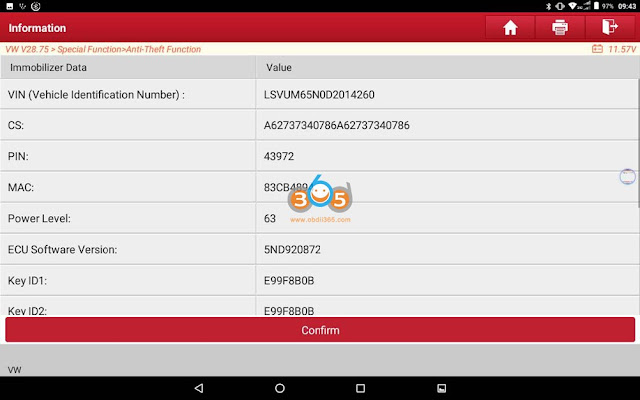
- You can view the relevant information after backed up the Anti-theft data, click "OKâ€, (as shown in the figure below), and then directly connect the external instrument to the Anti-theft programmer and obtain the Anti-theft data of external instrument as per step 8-12, and then install the external instrument in the car;(Note: The external instruments of some Johnson NEC95320, Motorola 9S12, Marelli NEC95320, some NEC24C32 and some NEC24C64 can be installed on the vehicle and read through OBD. For other types of instruments, the Anti-theft data can be read through the dump data, click "Dump All Lost Mode†to obtain the Anti-theft data by following the prompts.
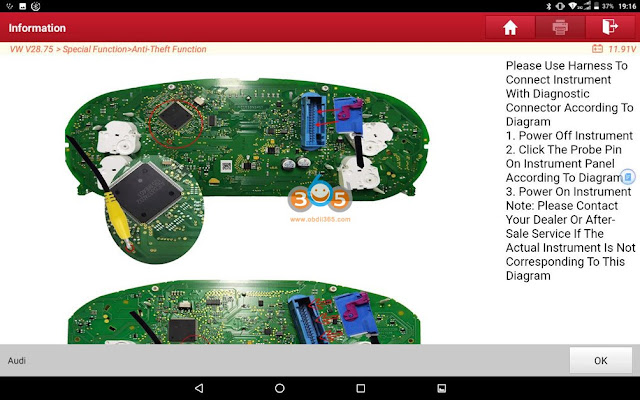

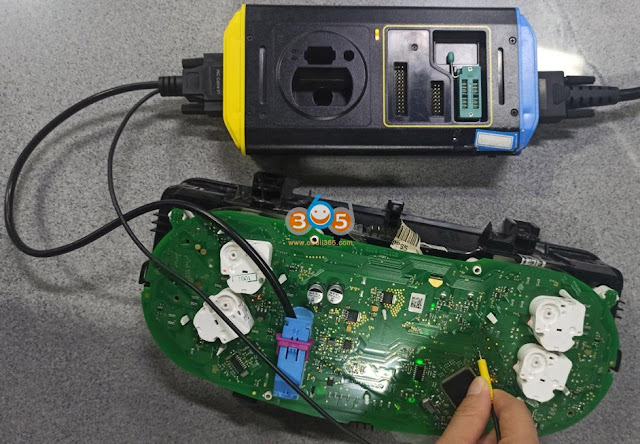
- Click Return to return to the interface of function menu in Figure 13, and select [Immobilizer Module Replacement].
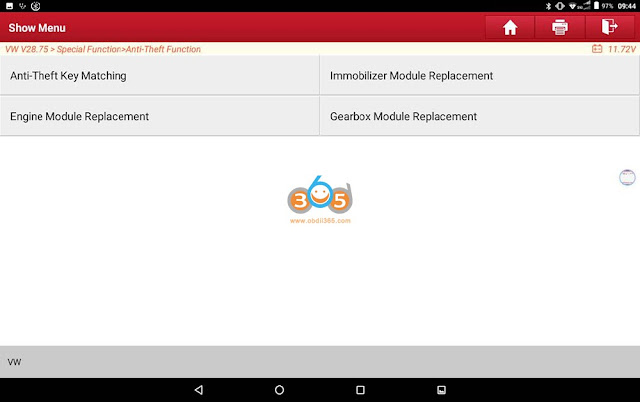
- Select [4th Generation CAN Instrument].

- Click "OKâ€.
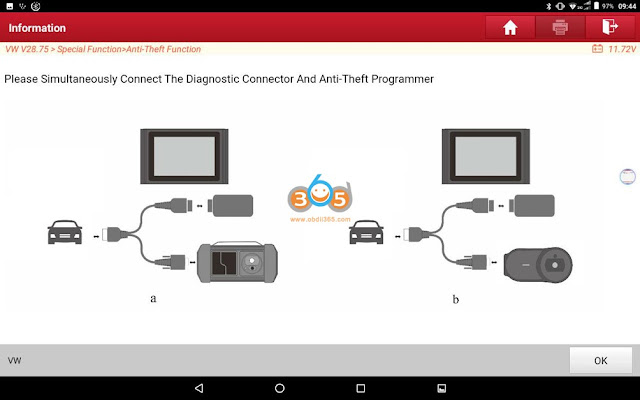
- Read the information of Instrument Replacement carefully and confirm whether to continue.

- Read the following information carefully and check if the conditions of Instrument Replacement are met, click "OKâ€.

- Select [Edit 1] to edit the Anti-theft data of external instrument.
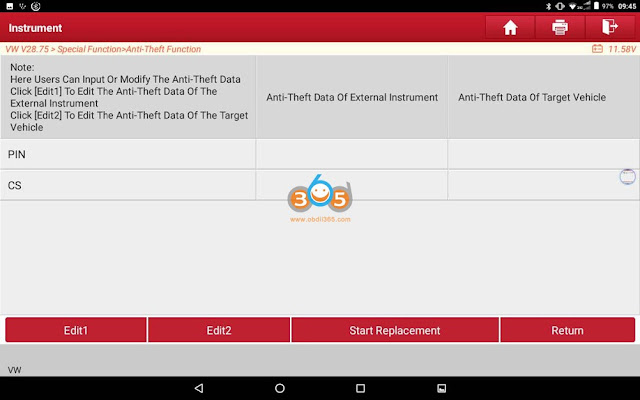
- Click "Yes†to load the backed up Anti-theft data of external instrument, click "OKâ€, (as shown in the figure below), (Note: If there is no Anti-theft data, click "No†and enter the first 6 bytes of CS of external instrument).

- Click [Edit 2], and click "Yes†to load the backed up Anti-theft data of the target vehicle, you can get two Anti-theft data result graphs, (as shown in the figure below), (Note: If there is no Anti-theft data of the target vehicle, click "No†and input the 12-byte CS of external target vehicle (read through direct connection, or obtained by other methods)).
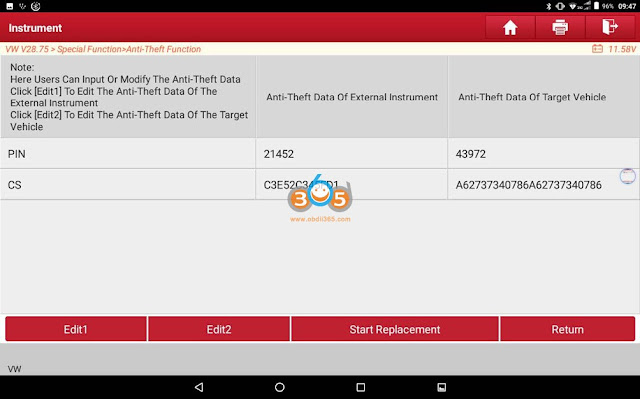
- Click [Start Replacement].

http://blog.obdii365.com/2021/12/08/vw-audi-4th-gen-instrument-replacement-with-launch-x431-x-prog3/
Posted by: jean at
07:53 AM
| No Comments
| Add Comment
Post contains 447 words, total size 23 kb.
December 08, 2021
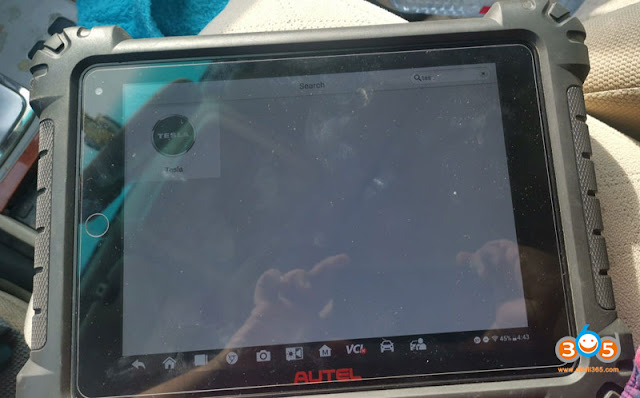
I’ve seen Tesla update in Autel. I am concerned about what kind of scan tool will allow me to troubleshoot problems? Do autel support electric cars like TESLA, if yes which Autel will do? Has anyone connected to a Tesla with Autel yet? Can anyone comment on the availability of a proprietary cable(s) for Tesla? Which models /years does Autel cover?

1).
Autel scanners that can access Tesla:MS908S Pro,MaxiSys Elite, MS909, MS919,Ultra,Eilte II(Note: MS908S cannot do Tesla)
2).
Autel Tesla software and function
Supports basic functions including Read Warning Message, ECU information, Live data, Read codes and erase codes, as well as 41 Hot special functions, including BMS reset alert, BMD clear contactor stress index, EPB service mode, brake bleed and read/write TPMS sensor ID for Model X and Model S (Autel cable kit required)
3).
Autel released a special cable kit for Model X and Model S


4).
You can check Tesla model and function list on Autel official website, for example,
here’s the function list of Model S


5). Autel Ultra test Tesla Model S in action
Tapping into the network with the LineSpi provides us access all the modules but it will not show or check Alerts (Tesla’s name for DTC’s) so i will buy the cable kit and test soon. This is a 2013 Model S.
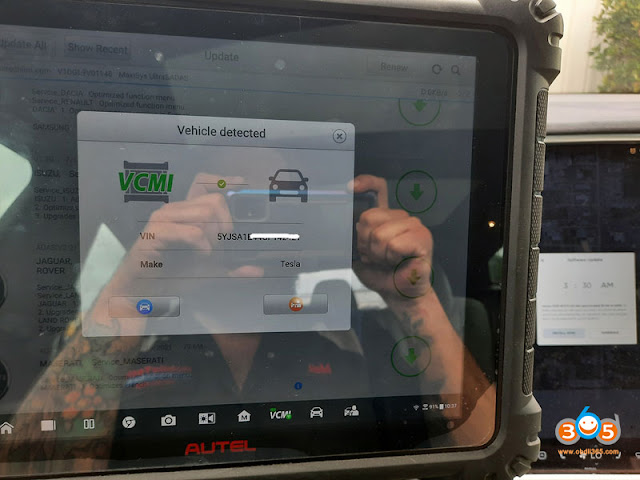
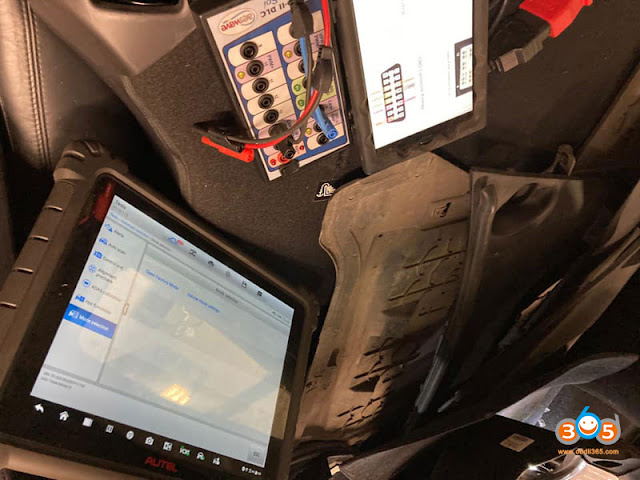
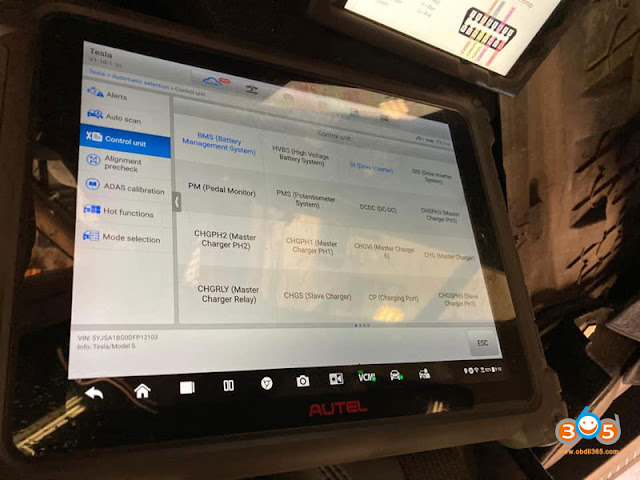

tesla isn’t gonna have a lot of the issues most cars do, as they’re fully electric, no sensors to go out on an engine at least.
You also have some other options to troubleshoot Tesla.
Option 1
Launch X431 diagnostic tablets (pad v,pad vii,x431 v+) have Tesla ability with an added subscription.
Check:
Launch X431 Tesla function & list
Tesla airbag reset with Launch X431
Option 2
You can buy a subscription to Tesla Toolbox for $333 per month and buy cable from aftermarket
Here in the below link are the cables for Toolbox,
https://teslamotorsclub.com/tmc/threads/diagnostic-port-index.98663/
Option 3:
T-Diag is the best tesla tool.
Use t diag for 3200 euro…for full version. Connect thru obd and fakra cable.
http://blog.obdii365.com/2021/12/07/which-autel-can-do-tesla-and-what-cable-for-it/
Posted by: jean at
06:14 AM
| No Comments
| Add Comment
Post contains 345 words, total size 12 kb.
December 06, 2021
- 20min in bench easy without problems:Xhorse VVDI Key Tool Plusadd keyless go BMW e92 cas3++ista-p.
Open cas for full back-up and generate from eeprom.
Personal experience: I have full back-up for Cas2 cas3 cas3++istap cas4 etc withhextag. For me is no problem but I don’t try in obd for lose time.
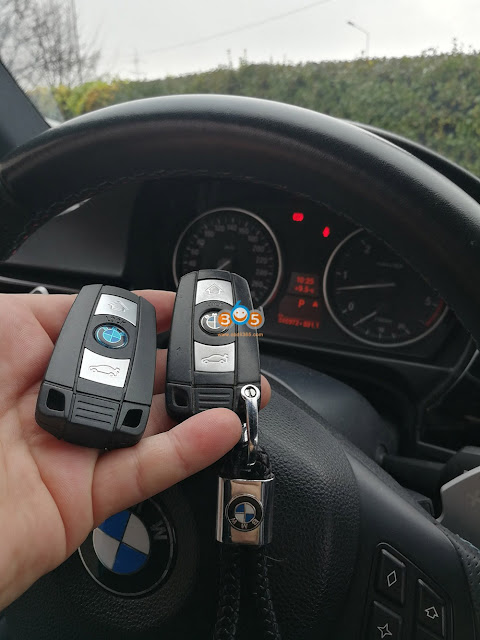

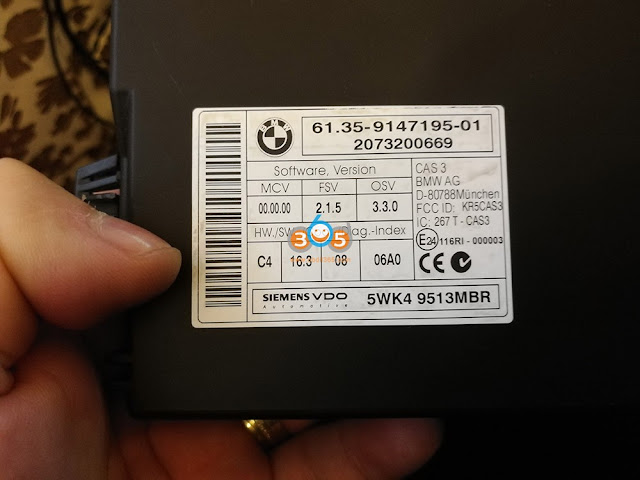
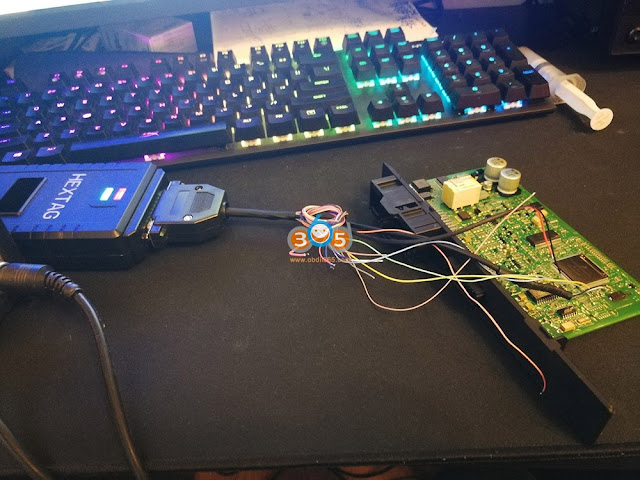
- 10 min done via OBD:Xhorse Key Tool Plus program key BMW 2010 Cas3++ (ISTAP) done. Make sure you have enough power supply.
Insert the ignition key into ignition switch and connect the BMW 2010 vehicle andVVDI Key Tool Pluswell.
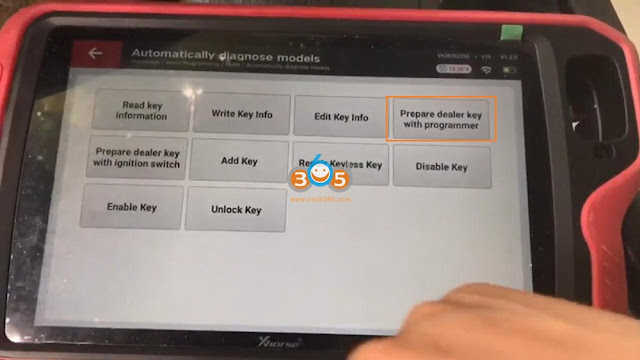
Tap "Immo Programming†-> Europe -> BMW -> Automatically diagnose models -> Start Programming -> it is detected as CAS3++ (ISTAP) -> Generate key via OBD -> Read key information -> "Yes†to add new key ->obtain the key info.
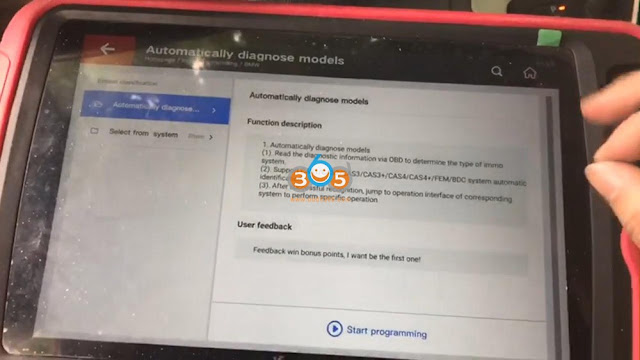
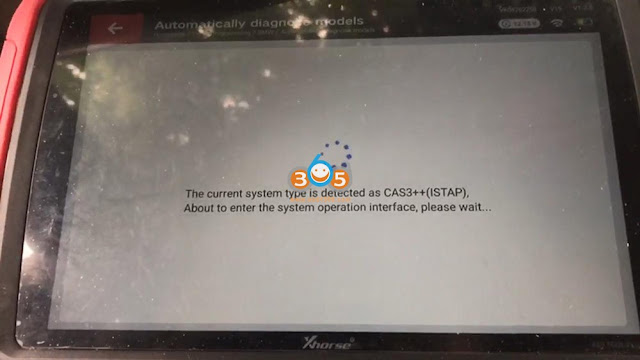
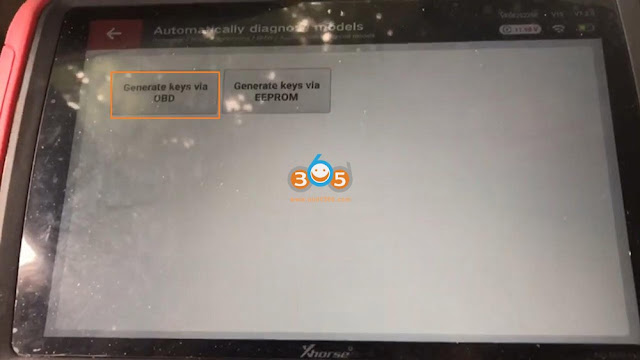

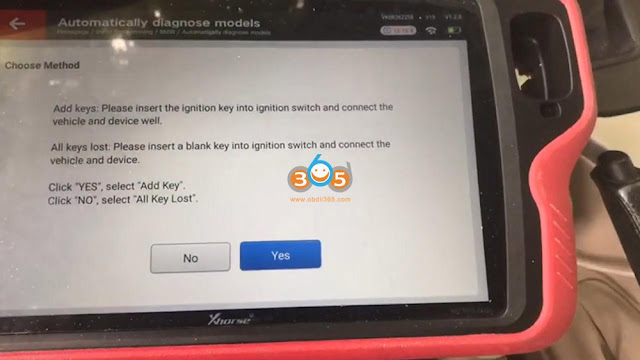
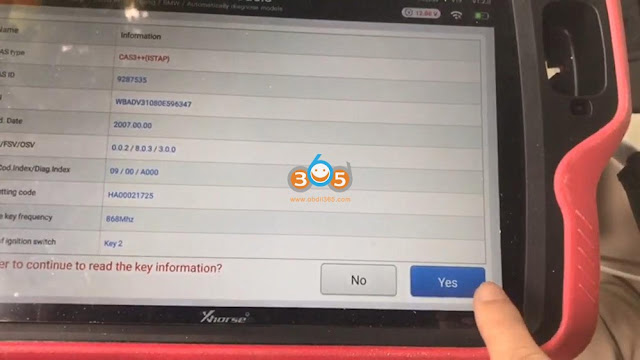
Click on "Yes†to start flash CAS firmware.
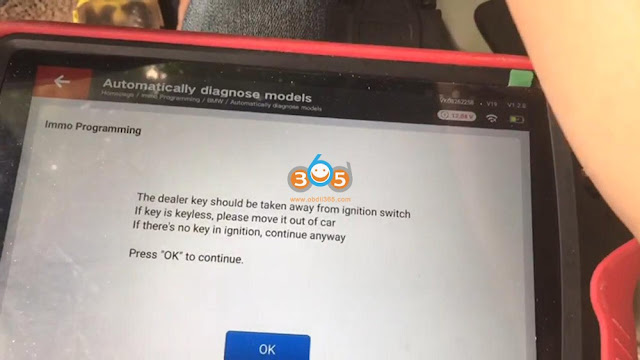
Take away the dealer key from ignition switch and click on "OKâ€.
It will take several minutes to flash CAS firmware.
Insert key into ignition and switch on, then click on "OKâ€.
Authenticating success.
Start security login…
Take way the dealer key from ignition switch as the on-screen instruction guide.
Reading data success and then click on "Saveâ€.


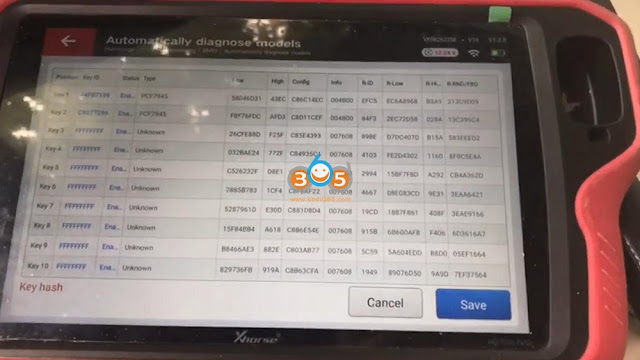

Select "Prepare dealer key with programmerâ€.
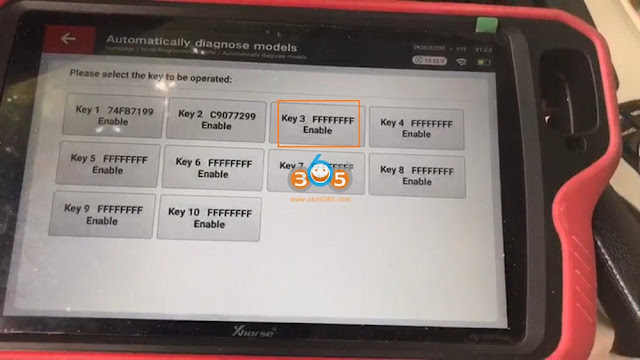
Select "Key 3 FFFFFFFF Enableâ€.
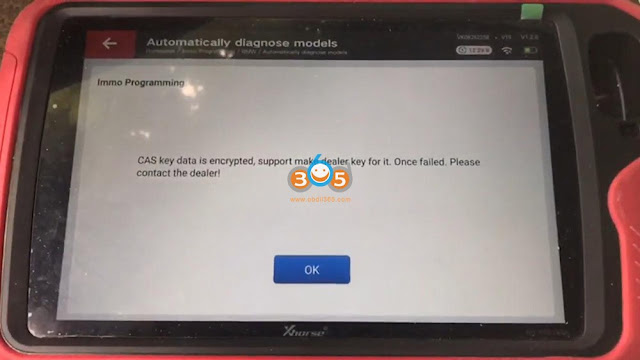
Click "OK†to learn that CAS key data is encrypted, support make dealer key for it.
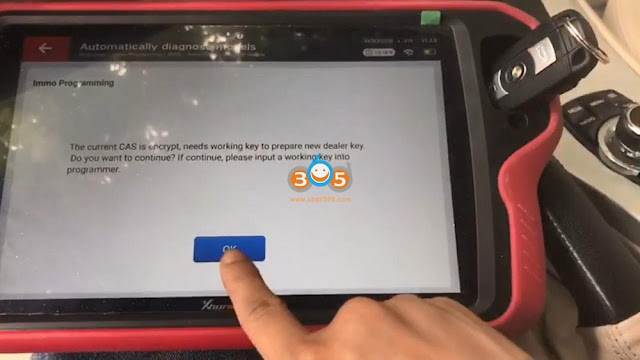
Please input a working key into programmer (key tool plus).
Please put new key into programmer.
Click "NO†because the current key is not smart key.
Make dealer key success, click on "OKâ€.
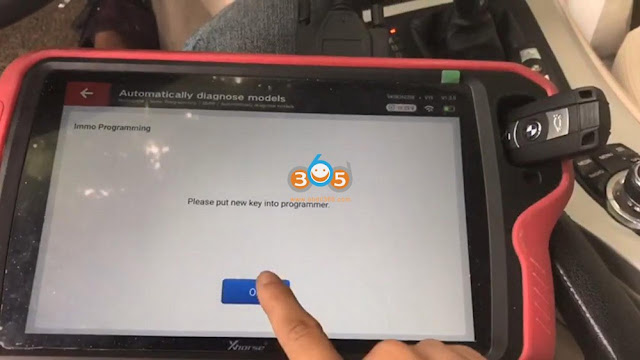

Click on "Add keyâ€.
This function add the newly generated key to the IMMO system, need to be executed "Generate dealer key – Use programmer†function to generate key.
Please put new key into programmer.
Click "NO†because the current key is not smart key.
Start security login…
Take way the dealer key from ignition switch and click on "OKâ€.
Reading data success.
Adding key.
Start security login…
Writing data success…

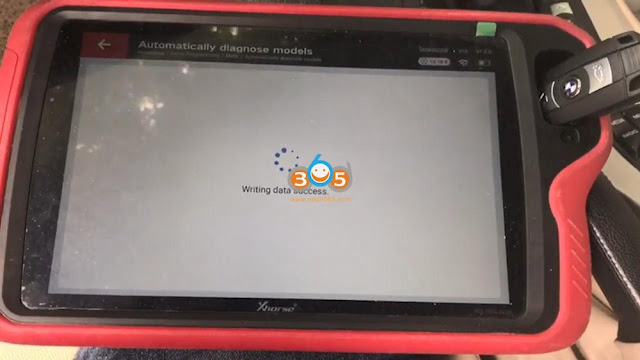
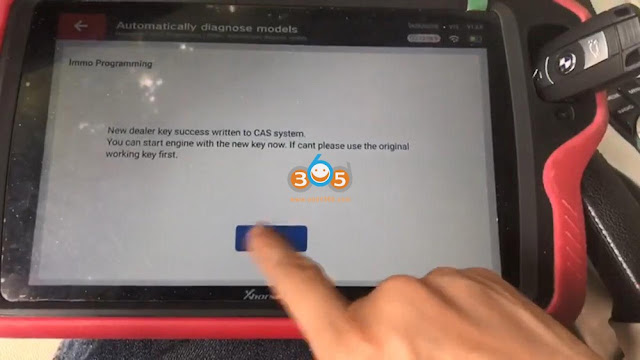
New dealer key success written to CAS system.
You can start engine with the new key now.


Alright, no matter which method on bench or via OBD,Xhorse VVDI Key Tool Pluscan do a great job
http://blog.obdii365.com/2021/12/06/vvdi-key-tool-plus-program-key-bmw-cas3-istap/
Posted by: jean at
08:00 AM
| No Comments
| Add Comment
Post contains 376 words, total size 21 kb.
December 03, 2021
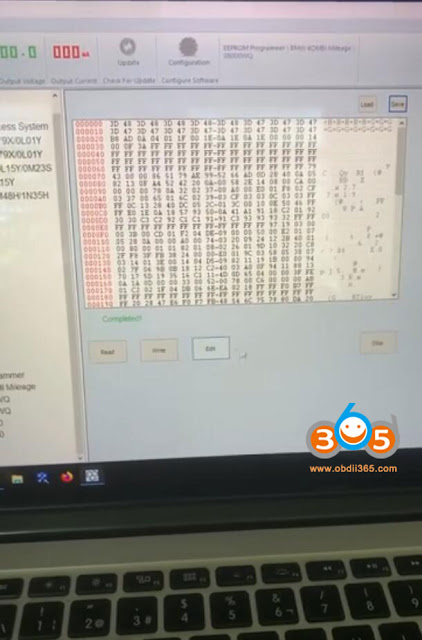
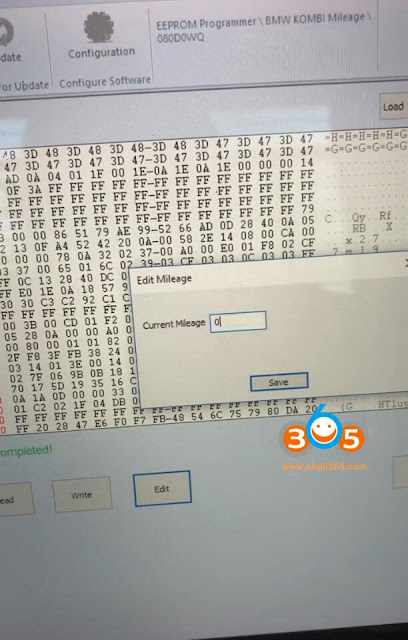
Question how to perform mileage correction on e90 with autohox ii bmw? Getting function under Test. Need the cluster, cas, and key to read correctly.
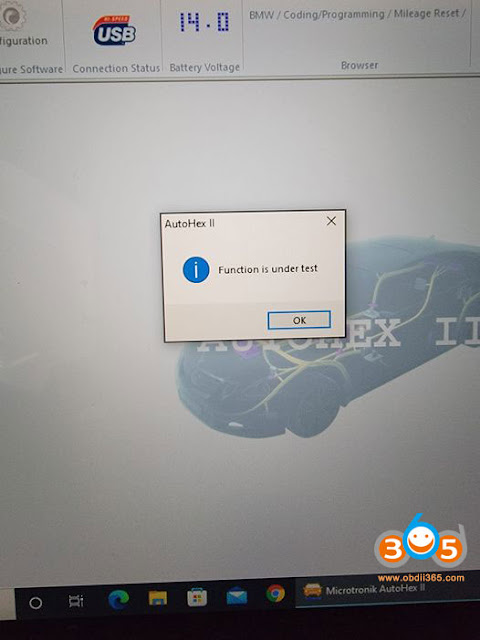
You can do the job with hextag.
You need to do CAS mileage onHexProg softwareneed to do on bench cluster and CAS.
In hextag,
1. Take out CAS and cluster. Set CAS mileage as 0. Write
2. Read cluster EEPROM, put km, write, easy.
if you are getting error on editing eeprom, you can try unplug and connect power to hexprog after edit then only write eeprom back.



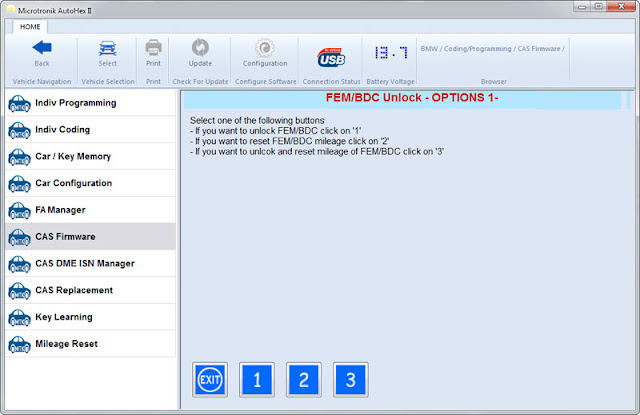
For BMW FEM/BDC system:
you need to reset FEM/BDC mileage to 0 onautohex iiunlock option and edit in cluster the desired mileage using hextag.

Posted by: jean at
06:03 AM
| No Comments
| Add Comment
Post contains 244 words, total size 7 kb.
December 02, 2021
Does anyone know if thisCAN FD adapteris compatible with theautel im608 pro. Or the team doesn’t need it to work with the CAN FD line?

Yes, the CAN-FD adapter is compatible withIM508,IM608, IM608 Pro and the JVCI.
the IM608 does not come with CAN-FD protocol which you need for CAN-FD work.
It’s a magic tool that gets you into the new system for GM and Ford.
The ultra already comes compatible with can fd, there is an adapter autels sells for the rest of tools.
You can use the VCI Mini, 100, full size with all of them. No the only VCIs made with CAN FD, MEGA CAN, DoIP, etc are the new ones with the ms909, ms919, andUltra. However, you can buy a CAN FD adapter and use with it.
CAN FD Adapter is compatible with following Autel VCI
•Compatible with VCI or VCI/J2534 device included with Gen 1 Autel MaxiSys units: MX808, MS905, MS906, MS906BT, MS906TS, MS908, MS908P, MSELITE
•Compatible with VCI/J2534 device included with the Gen2Autel MaxiSys units: MaxiADAS, MS908S, MS908SP, IM508, IM608
Posted by: jean at
03:18 AM
| No Comments
| Add Comment
Post contains 185 words, total size 2 kb.
December 01, 2021
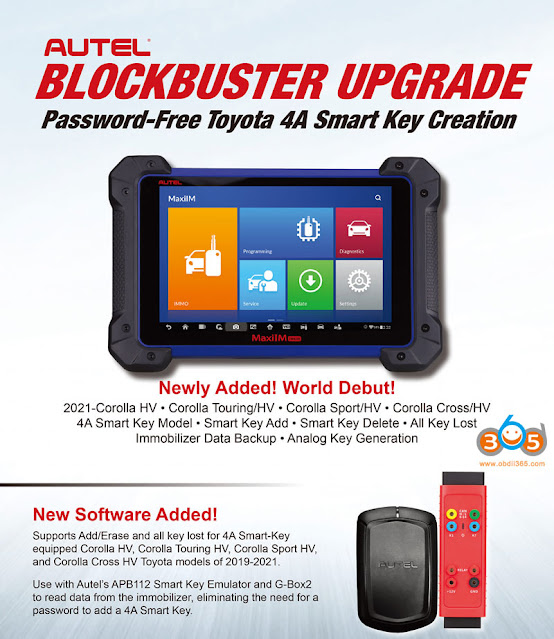
Autel MaxiIM IM608released new software update for Toyota.
IMMO_Toyota V3.72 2021-11-24
Toyota:
Adds Add Smart Key, Erase Smart Key, PEPS Reset, Back up IMMO Data and Generate Analog Key functions for 4A smart key-equipped models of 2021 below: Corolla (fuel/HV), Corolla Touring (fuel/HV), Corolla Sport (fuel/HV), Corolla Cross (fuel/HV) and Levin (fuel/HV). [First released password-free functions]
use withAutel APB112smart key emulator andG-box2to read data from the immobilizer, eliminating the need for a password to add a 4A smart key.
Posted by: jean at
07:57 AM
| No Comments
| Add Comment
Post contains 85 words, total size 2 kb.
32 queries taking 0.1151 seconds, 203 records returned.
Powered by Minx 1.1.6c-pink.

