May 29, 2026
OBDSTAR X300 Classic G3programmed 2025 Nissan Magnite proximity smart key successfully.
Go to Nissan, select the model and Proximity function.
Select Program Keys.
This function requires network connection.


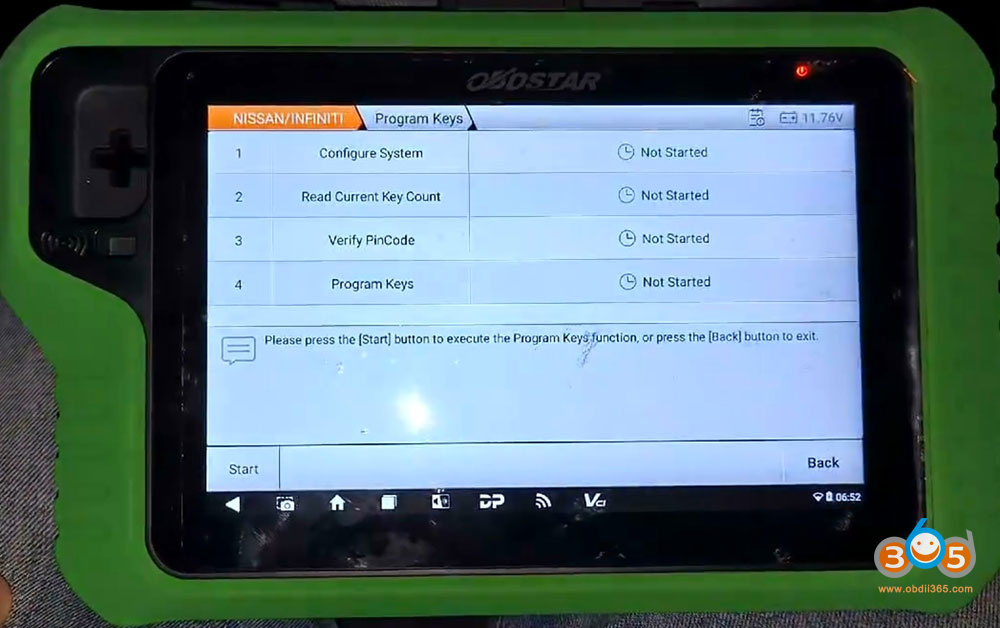
Follow 4 steps to program keys.
Press Start button to execute key programming function.
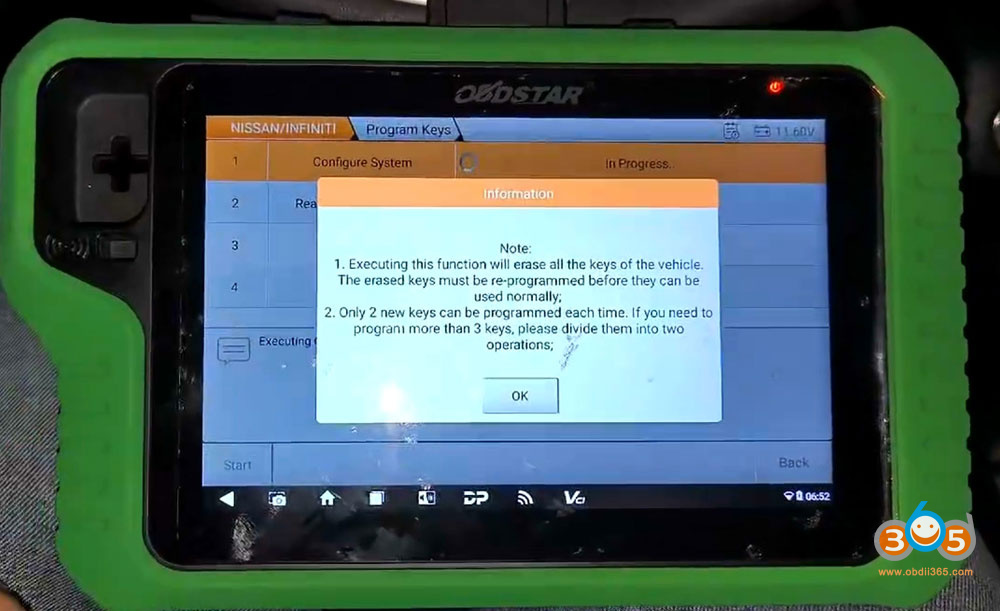
1. Configure system
Executing this function will erase all the keys of the vehicle.
Only 2 new keys can be programmed each time.
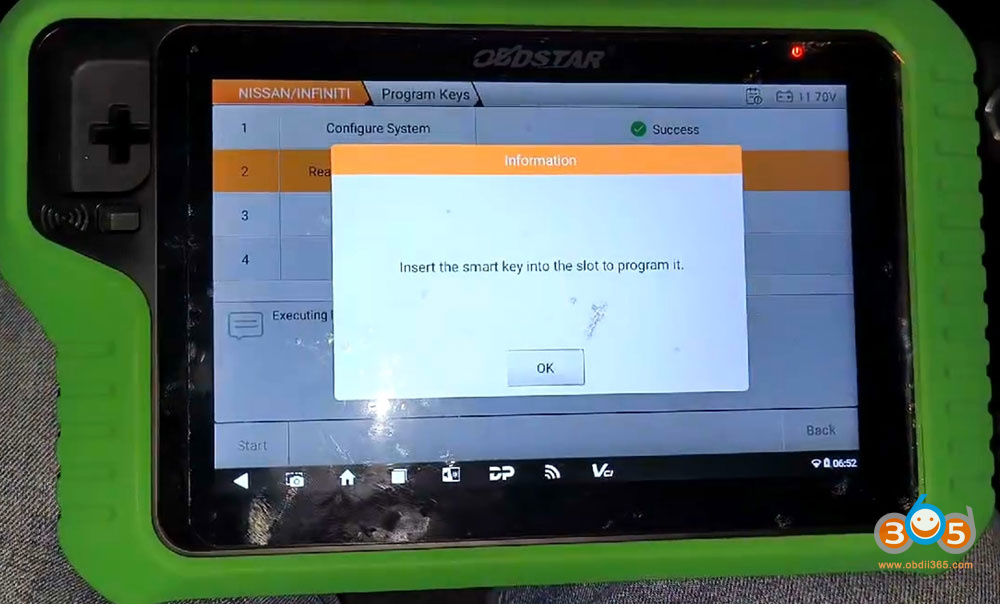
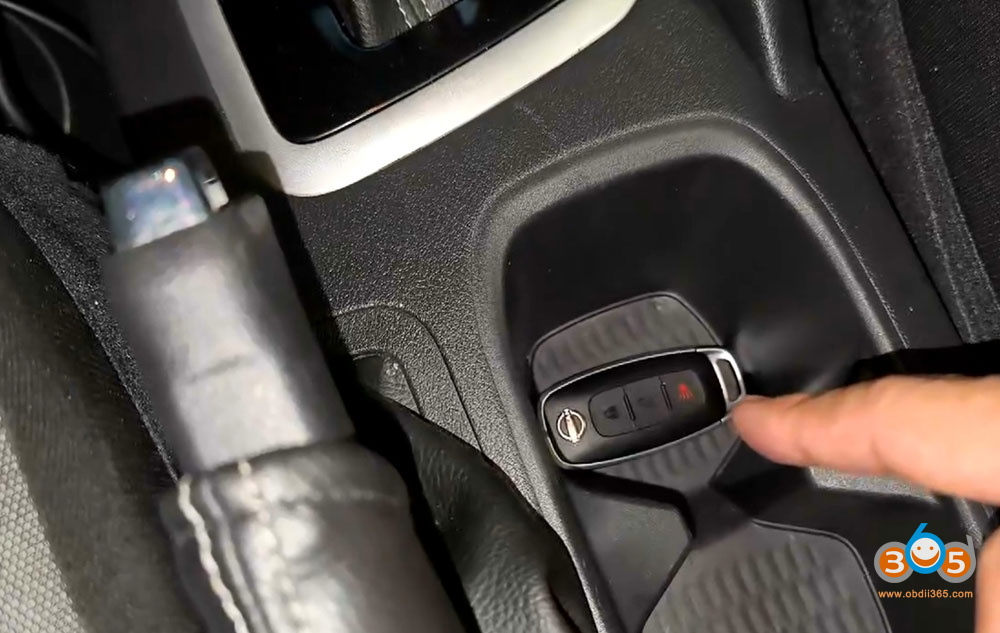
Insert the original key into the slot.


2. Read current key number
G3 read current number of key: 1.
Insert new smart key into the slot.
2 keys detected.


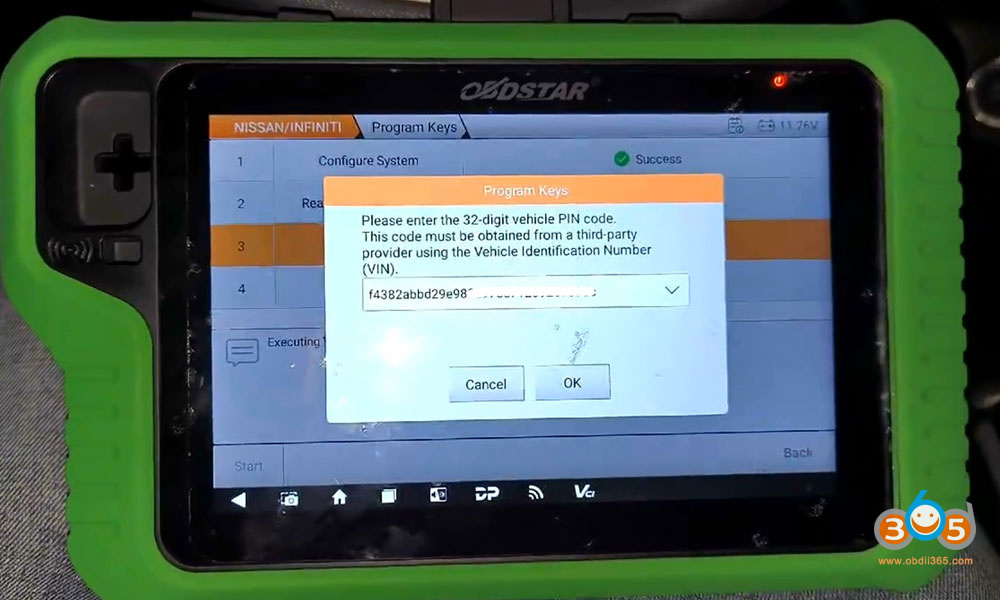
3. Verify PIN Code
G3 asks to enter a 32-digit PIN code.
This code must be obtained from a 3rd party provider using the VIN.

4. Program keys
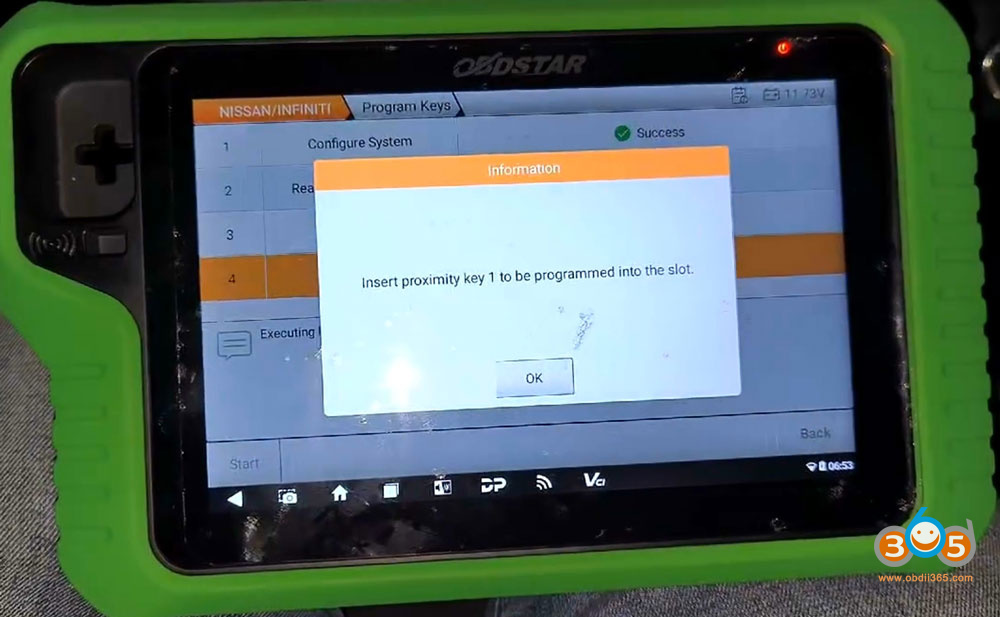
Insert the proximity key 1 to be programmed into the slot.
Program key 1 successfully.


Insert a new proximity key to be programmed into the slot.
Program 2nd key successfully.


Test both keys.
Posted by: jean at
07:48 AM
| No Comments
| Add Comment
Post contains 164 words, total size 14 kb.
May 28, 2026
If you own a 2015–2020 Chevy Tahoe (or Suburban) and your push-to-start smart proximity key has stopped working — or you simply need to add a spare — the issue is often resolved by programming a new key. Here we will show the steps to add a smart key, including where to place the key and how to handle the 12‑minute waiting period usingAutel MaxiIM IM508key programmer.
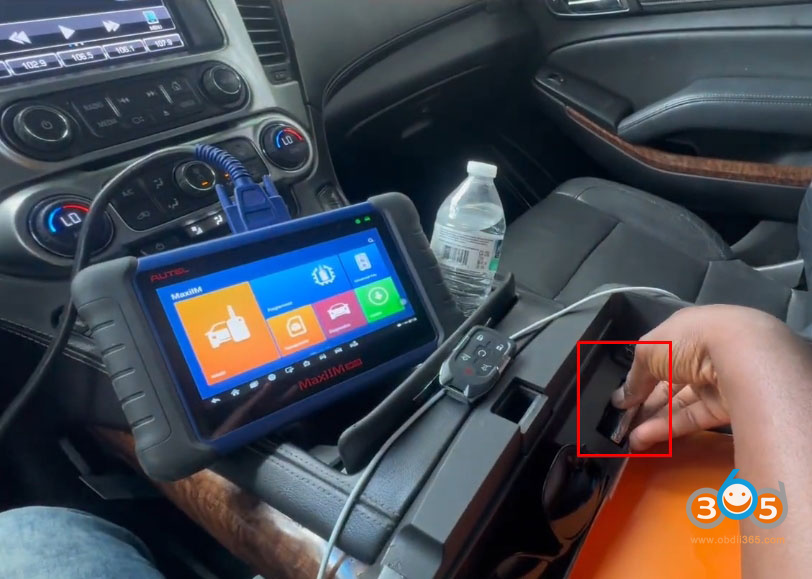
Before You Begin: Locate the Sensing Pocket
The most critical first step is knowing where your vehicle’ssensing pocketis.
In the Chevy Tahoe (2015–2020), the sensing pocket is typically located inside the center console or at the bottom of the front storage area.
-
Why it matters:If your key fob battery is dead, inserting the key into the sensing pocket allows the vehicle to detect it.
-
For programming:The new key must be placed in this same pocket when the programmer instructs you to do so.
The example uses a6‑button smart key fobwith proximity/push‑button start.

Step 1: Connect the IM508 and Identify the Vehicle
-
Connect the IM508 to the vehicle’s OBD2 port.
-
Turn the ignitionon(press the start button without pressing the brake, or use the original key if available).
-
On the IM508, navigate:
-
America→VM→Automatic selection
-
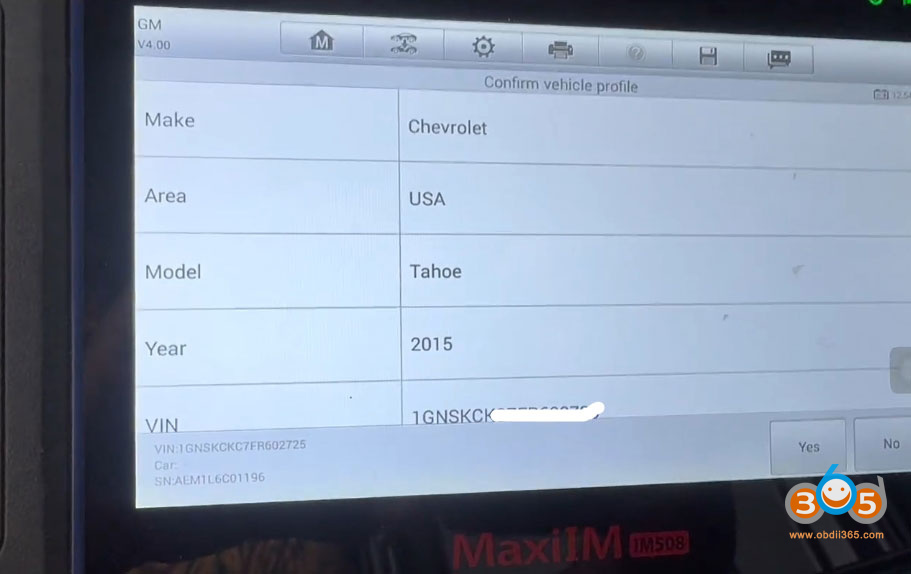
Confirm the vehicle:Chevy Tahoe 2015(the procedure applies to 2015–2020).
-

Step 2: Enter the "Hot Function” Menu
From the main menu:
-
SelectHot Function→Add Smart Key Guided.
The programmer will ask you to switch the ignition off and then on again. Follow the on‑screen prompts exactly.


Step 3: Read the PIN Code
The IM508 will now read the vehicle’sPIN code(requires an internet connection). This typically takes about one minute.
Once the PIN is successfully read, the tool will offer toclear any DTCs(diagnostic trouble codes). Do this before proceeding.


Step 4: Learn the New Key
-
When prompted, clickOKto begin learning the key.
-
Place the new smart key into the sensing pocketexactly as shown/described.
-
In the walkthrough, the technician noted that sometimes you musthold the key in placefor the vehicle to detect it during programming.
-
-
ClickOKon the programmer.

Step 5: The 12‑Minute Wait
The vehicle’s security system requires a12‑minute waiting periodduring programming.
-
The IM508 will display a progress percentage (e.g., 0% → 80% → 90%).
-
Do not interrupt the process. You can disconnect the programmer briefly if needed, but reconnect before it reaches 100% to finalize.


Step 6: Completion and Testing
After the wait:
-
The tool will confirm:"Key programmed.”
-
Remove the key from the sensing pocket.
-
Test the remote functions (lock/unlock) and push‑button start.
In the original walkthrough, the procedure successfully programmed a replacement smart key for a 2015 Chevy Tahoe — which applies directly to model years2015 through 2020, including the Chevy Suburban.

Important Notes
-
Original key condition:If the original key’s remote doesn’t work, you can still use it to turn on the ignition (by placing it in the sensing pocket).
-
Battery dead?The sensing pocket allows detection even without a working fob battery.
-
Internet required:The IM508 needs an active internet connection to read the PIN.
-
Patience:The 12‑minute wait is mandatory and cannot be bypassed on these GM vehicles.
Final Verdict
Using theAutel IM508(or similar high‑end programmer), adding a new smart key to a 2015–2020 Chevy Tahoe is straightforward if you follow the guided steps — especially knowing the sensing pocket location and respecting the 12‑minute security delay. Once programmed, both remote functions and proximity start will work normally.
www.obdii365.com
Posted by: jean at
07:36 AM
| No Comments
| Add Comment
Post contains 563 words, total size 18 kb.
May 27, 2026
Launch X431 is going to roll out the new PROG5 programmer adapter. What’s the difference between the new Launch Prog5 and X-Prog3 programmer?
Let’s preview their differences.
Launch X-431 PROG5 vs X-Prog3
| Feature | Launch PROG5

|
Launch X-PROG3

|
|---|---|---|
| VW / Audi IMMO3/4/5 Key Programming | Supported | Supported |
| VW 4th Gen Instrument Cluster All-Keys Lost Reading | Supported | Supported |
| Audi 5th Gen Steering Column Chip Read/Write | Supported | Supported |
| MED17 Engine OBD Reading | Supported | Supported |
| VW 4th Gen UDS Engine Replacement | Supported | Supported |
| VW / Audi MQB Engine / Gearbox / Steering Column Replacement | Supported | Supported |
| VW / Audi 5th Gen / MQB Gearbox FLASH/EEPROM Read/Write | Supported | Supported |
| VW / Audi Bosch Engine Clone | Supported | Supported |
| VW / Audi Siemens Engine Clone | Supported | Supported |
| 2014+ UDS Engine Replacement (Original Engine Not Required) | Supported |
Supported |
| VW MQB 5C/5D Key Programming (Add key) | Supported | No |
| VW Audi SIMOS18 Series Clone | Supported | No |
| VW V850 Series Instrument Data Read & Clone | Supported | Less support |
| VW RH850 Series Instrument Data Read & Analysis | Supported | Less support |
| Volkswagen MQB Instrument Cluster Mechanical/Smart Key All-Lost Support (Read/Write Parse Engine/Gearbox Data Types) | Supported | Less Support |
| Mercedes Key Matching (FBS3) | Supported | Supported |
| Mercedes Engine/Gearbox Erase (FBS3) | Supported | Supported |
| Mercedes Engine (FBS4) | Supported | Supported |
| Mercedes Gearbox Clone (FBS4), 2 types 7-speed, FDCT, 9-speed | Supported | Supported |
| Mercedes W164, W169, W209, W211 Password Calculation in All-Lost Situation without Gateway (FBS3) | Supported | Not Supported |
| Mercedes Multiple EIS/EZS Cloning | Supported | Partial Support |
| Mercedes FDCT/VGS4 NAG2/VGS NAG3 Clone (FBS4) | Supported | Not Supported |
| Mercedes DSM (FBS4) | Supported | Not Supported |
| Mercedes Add Key with Password Calculation (FBS3) | Supported | Supported |
| Mercedes All-Lost Key Password Calculation (FBS3) | Supported | Supported |
| BMW (CAS1, CAS2, CAS3, CAS4, FEM/BDC) | Supported | Supported |
| BMW G Chassis Key Matching | Supported | Supported |
| BMW Engine ISN Code Read | Supported | Less Support |
| BMW E Chassis 8HP Gearbox Erase | Supported | Supported |
| BMW E Chassis 8HP Gearbox Clone | Supported | Supported |
| BMW FRM Repair | Supported | Supported |
| BMW F Chassis 6HP Transmission Clear / Clone | Supported | Supported |
| BMW F/G Chassis 8HP Transmission Clone | Supported | Supported |
| BMW F/G Chassis 8HP Transmission Clear | Supported | Supported |
| BMW Engine Replacement | Supported | Supported |
| BMW Bosch Engine Clone | Supported | Supported |
| BMW Siemens Engine Clone | Supported | Supported |
| Porsche 2011-2017 Key Matching | Supported | Supported |
| Porsche Front/Rear ECU Clone | Supported | Supported |
| Porsche Engine, Gearbox ECU Clone | Supported | Supported |
| Porsche Battery Repair | Supported | Supported |
| Various Models Bosch Engine Clone | Supported | Supported |
| Various Models Siemens Engine Clone | Supported | Supported |
| Various Models Transmission Clone | Supported | Supported |
| Various Models DELCO/DENSO/Marelli Engine Clone | further support | Supported |
| Encrypted Chip RH850 Read/Write | further support | Supported |
| BMS Chip Read/Write Function | Supported | No |
| Support ID48/96, ID46 Key Chip Clone Function | Supported | No |
| ECU Data Checksum Function | further support | Supported |
In sum:
Launch X-PROG3cannot be used independently. It requires a tablet or a PC adapter box.
Launch PROG5integrates the functions of X-PROG3, PC adapter, ECU programmer, and key programmer.It can be used with a tablet or directly connected to a computer to run PC software.
-
PROG5 comes withECU cloning PC softwarefor reading/writing and cloning engine and transmission ECUs on PC.
-
When used with a tablet, it includesIMMO PROG softwarefor reading/writing and cloning engine and transmission ECUs.
-
Built-inkey programmer function– can read key information, generate keys, and unlock keys.
- Support for European vehicleKey matching,Immobilizer module erasing andImmobilizer module replacement
- Supports more ECU and TCU cloning models than G3.
New functions added to PROG5:
-
Add key VW Audi PorscheMLBsystem
-
Add keyVW MQB49 / 5C / 5Dsystems
-
VWV850 / RH850– dashboard read/write function
-
VWMQB platform – all keys lostfunction
-
BMW engine – ISN read function (model support added)
-
Mercedes-Benz transmission –OBD cloning, ISM cloning
-
46 / 48 chip cloning
- more…

The Launch PROG5 is coming soon. Keep an eye on our websitewww.obdii365.com.
Posted by: jean at
07:59 AM
| No Comments
| Add Comment
Post contains 608 words, total size 10 kb.
May 26, 2026
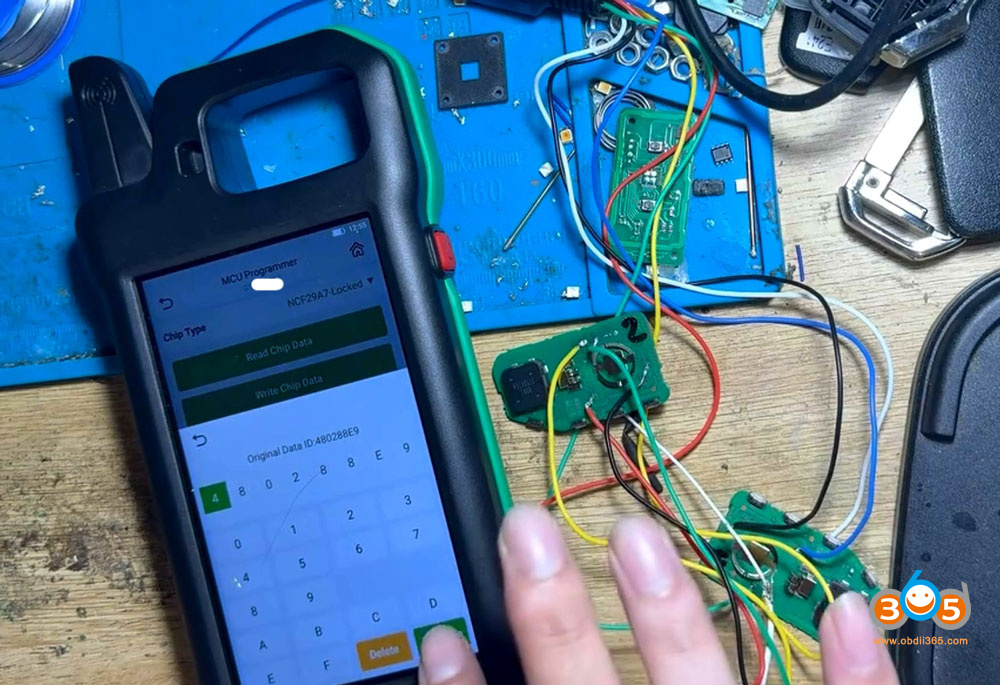
Obdii365.com here will show how to copy a spare smart to the Kia K3 2025-2026 usingCGDI K2 key tool.
Keep device up-to-date to use therecently updatedNCF29Ax smart key copy function. The procedure goes to other NXP NCF29Ax smart key types.
Procedure:
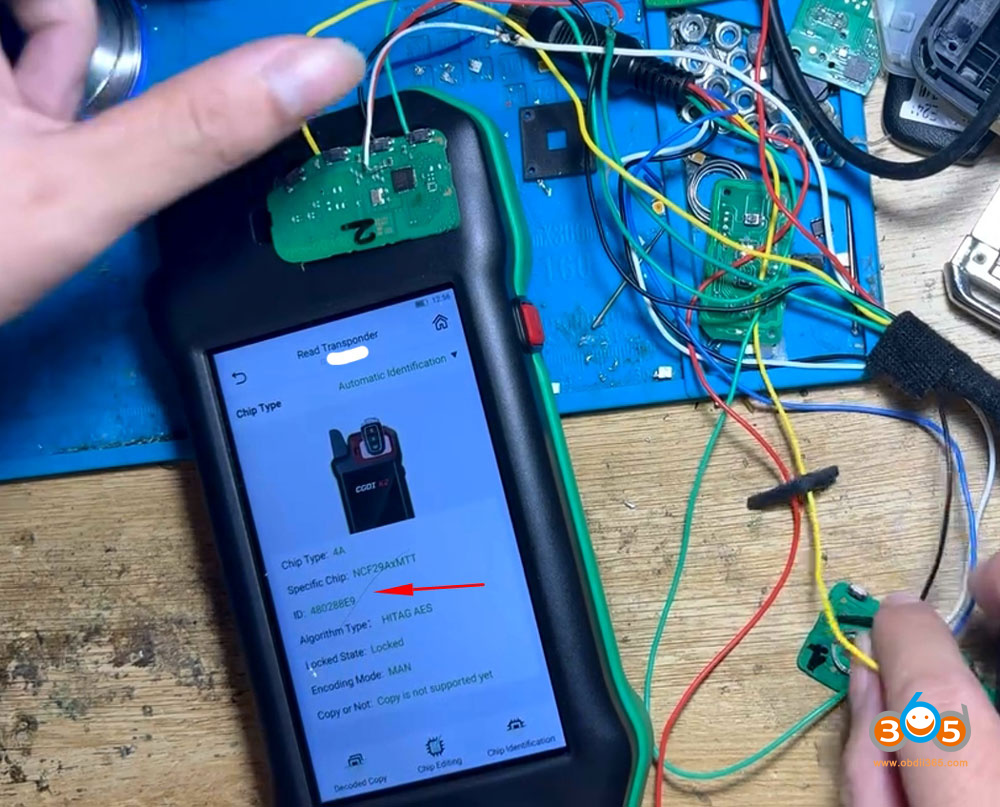
Read original key information.
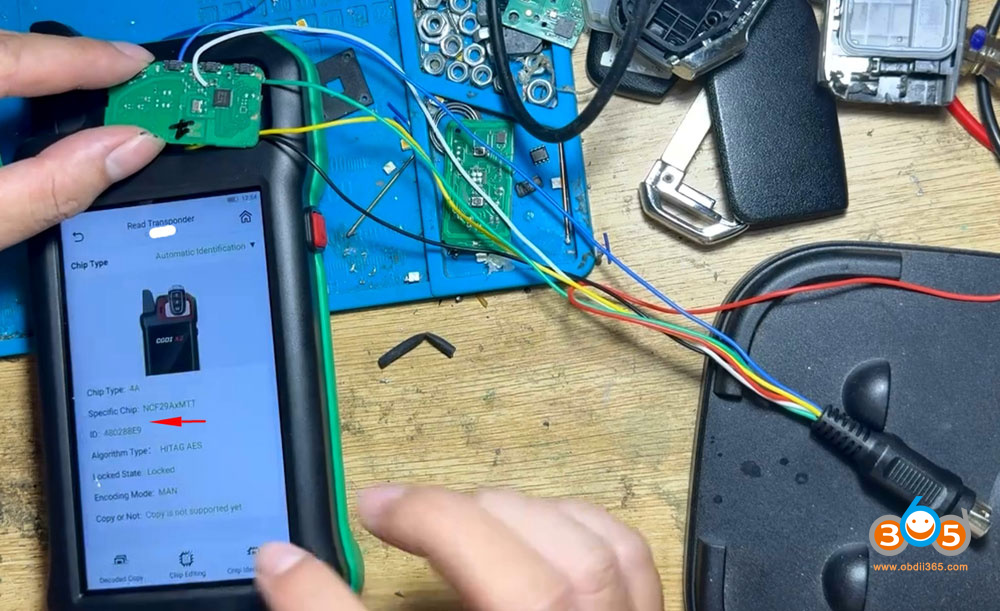
Chip type: 4A
MCU chip: NCF29AxID: 480288E9
Locked status: Locked

Read new key information (must copy new original key). This is a new key to be programmed so the ID is FFxxxxxx.

Remove the original and new key shell.
Solder wires to the original key and new key circuit board via CGDI K2 renew cable. CGDI K2 will show you wiring diagram after selecting correct NCF29Ax type.
First of all, connect the original key board with CGDI K2 via renew cable.
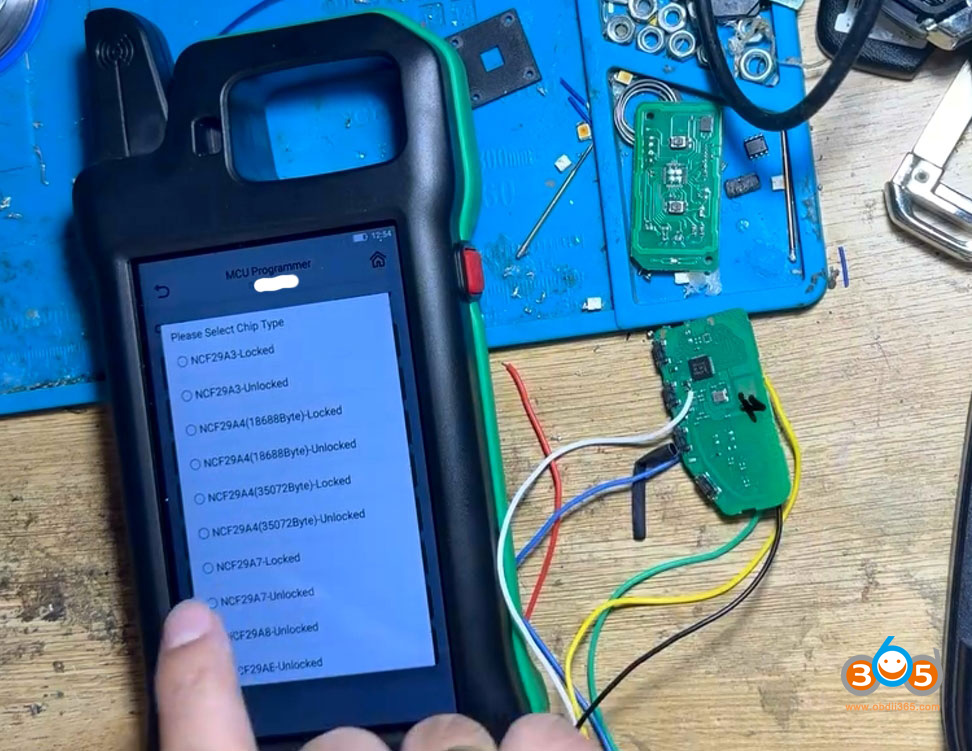
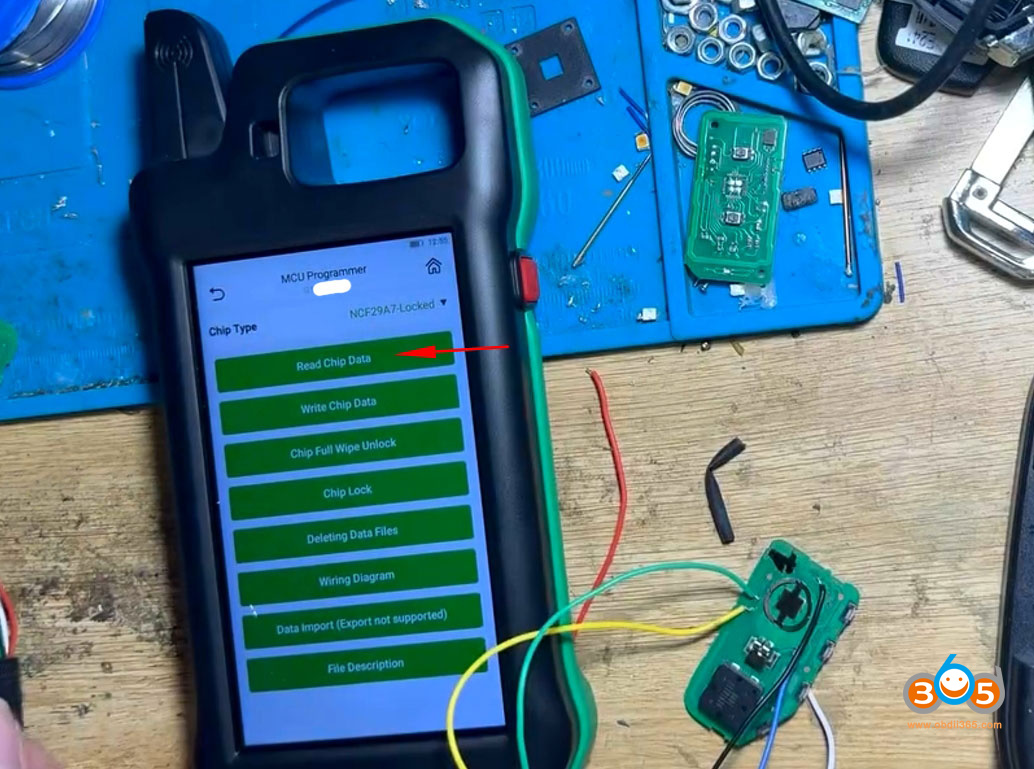
Go to MCU Programmer function.
Select MCU chip type: NCF29A7-locked.

Read Chip Data.

Read and save original key data.

Disconnect the original key board with CGDI K2.
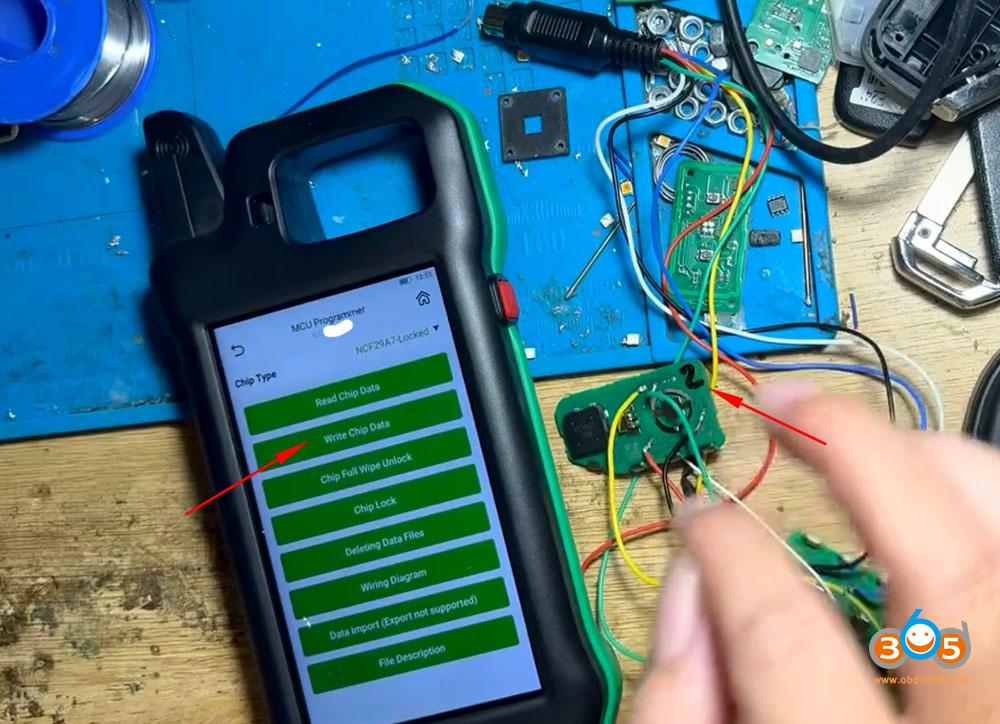
Connect the new key circuit board with K2 via renew cable.
SelectWrite Chip Data.

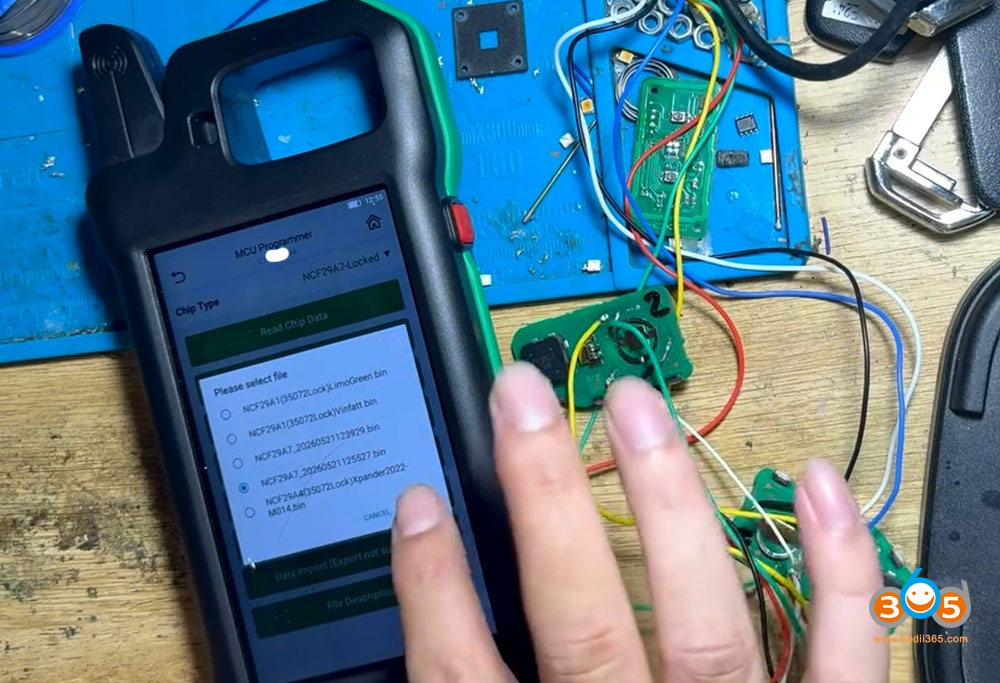
Select the original key file we just saved.

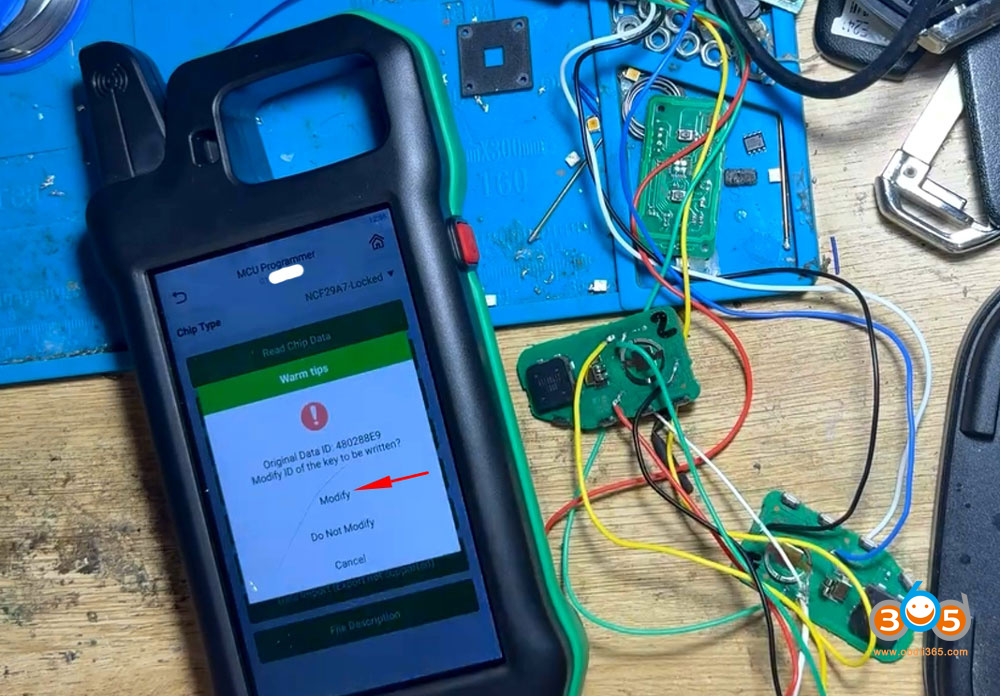
CGDI K2will ask if need to modify key ID.
We modify key ID to match the original key.


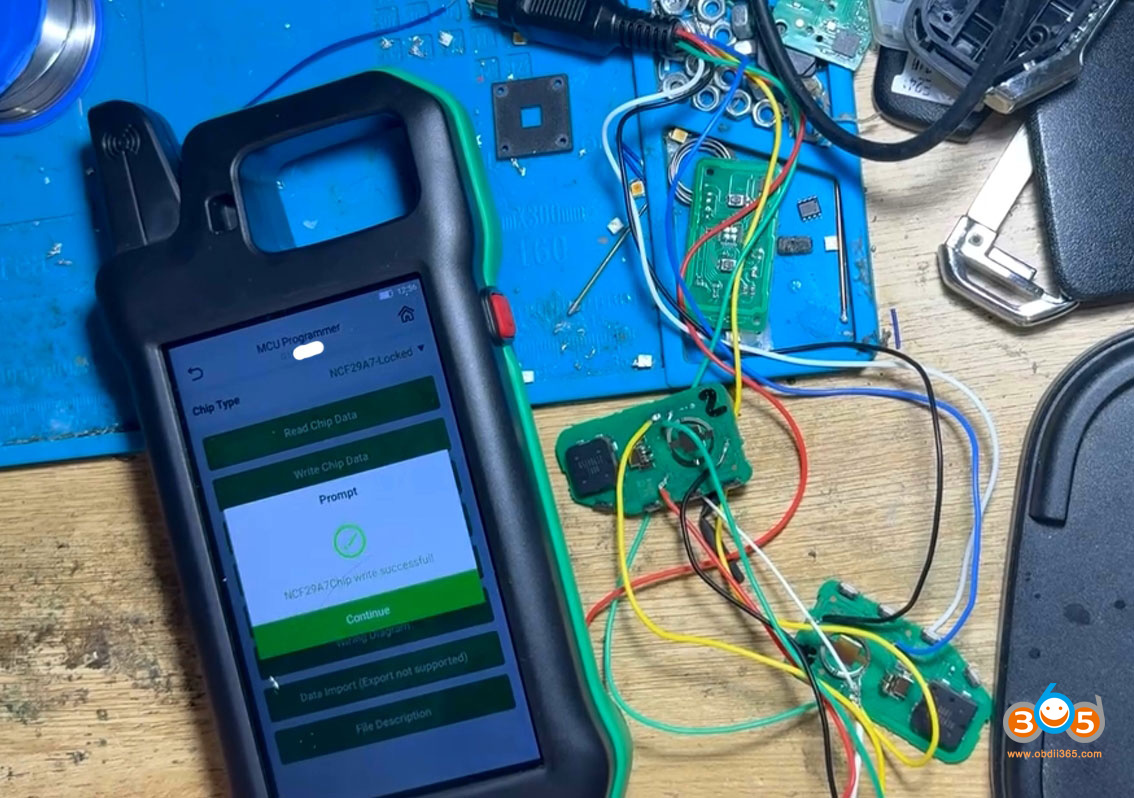
Write chip data successfully.

Copy new smart key successfully.
Read new key information. Now it shares the same ID with original key.

Desolder wires from both keys, install key shell. Then test remote control function.
It’s done. Saving money from buying pin code and learning on car.
Some users also found that welding the wrong wire still doesn’t kill the chip.
Posted by: jean at
07:35 AM
| No Comments
| Add Comment
Post contains 265 words, total size 12 kb.
May 25, 2026
Autel MaxiIM IM508/IM608released new Ford immobilizer software and added some Ford models immo back to their tools.
Subscription Update Notifications
Ford_IMMO
What’s New:
V2.20 Ford_IMMO
1. Optimizes IMMO functions for the followingblade key-equippedmodels: Fusion (2013-2019), Everest (2015-201 , Explorer (2016-2019), F-350 (2015-2020), Ranger (2015-2022), etc.
2. Optimizes IMMO functions for the followingsmart key-equippedmodels: F-150 (2015-2020), Lincoln Nautilus (2018-2020), Mustang (2015-2019), Focus (2014-201
, Escape (2013-2019), Transit Connect (2015-2020).

For example: IM608 pro 2 fully updated has this now

Posted by: jean at
07:24 AM
| No Comments
| Add Comment
Post contains 83 words, total size 3 kb.
May 22, 2026
Xhorse VVDI Key Tool Plus and Smart Pro which is better for auto locksmith programming?

Here is the clue.
Both theXhorse VVDI Key Tool Plus(often called KTP or VVDI Pad) and the Advanced Diagnostics Smart Pro are popular tablet-style key programmers used by automotive locksmiths for transponder keys, proximity/smart keys, remotes, PIN reading, and immobilizer (IMMO) programming. They are all-in-one solutions aimed at mobile or shop-based work, with built-in touchscreens, OBD connectivity, and support for a wide range of vehicles.
Overview and Core Differences
Xhorse VVDI Key Tool Plus:An all-in-one locksmith-focused tablet that integrates functions from VVDI2, VVDI MB, Key Tool Max, and VVDI Prog. It emphasizes key generation, cloning (especially with Xhorse Super Chips), remote production, and strong coverage for European vehicles (VAG, BMW, Mercedes). It features a built-in key slot similar to Autel’s XP400 and supports connections to Xhorse key cutters via Bluetooth. Hardware includes an 8-core 2GHz CPU, 4GB RAM + 128GB storage, 10.1″ HD anti-glare screen, 13MP camera, and a large 10,000mAh battery.
Smart Pro:
A dedicated OBD key programmer from Advanced Diagnostics (linked with Silca/Ilco) known for its intuitive guided interface, extensive database (over 5,000 models via MYKEYS Pro), and strong performance on domestic (especially Ford) and Asian vehicles.
Excellent for no-EEPROM OBD jobs, Ford (including active alarm scenarios), and many domestic/Asian vehicles. Its guided interface reduces errors and makes complex jobs safer for technicians.
It uses a 10.1″ HD touchscreen, quad-core processor, 2GB RAM + 32GB storage, and supports expansions like Smart Aerial for transponder work. It stands out for step-by-step prompts, photos, hints, and vehicle-specific guidance.
Key Hardware Contrast:The Key Tool Plus generally has superior specs (faster processor, more RAM/storage, better battery, camera). Smart Pro prioritizes usability and guided workflows over raw power.
Feature Comparison
1).Vehicle Coverage & Strengths:
Key Tool Plus:Excels with European cars (VAG/MQB, BMW, Mercedes), Toyota (including H Smart Key AKL without emulator), cloning, and module/EEPROM work. Good for all-keys-lost and advanced IMMO. Some activations (e.g., MQB, certain BMW/Mercedes) may require extra licenses.
Smart Pro:Often praised for broader everyday coverage, especially Ford (including active alarm scenarios), domestic, and Asian vehicles. Excellent guided procedures reduce errors on common jobs.
2). Usability & Interface:
Key Tool Plus:Powerful but can have a steeper learning curve with menus that risk issues if the wrong option is selected (especially for beginners). Some reports of bugs or less polished guidance.
Smart Pro:Frequently called the most user-friendly with excellent prompts, photos, countdowns, and hints. Ideal for technicians who want clear step-by-step help.
3). Cloning, Remotes & Extras:
Key Tool Plus:Strong universal remote generation,VVDI Super Chipsupport, transponder cloning/generation, and direct key cutter integration. Built-in diagnostics and readers for various brands.
Smart Pro:Good transponder management with expansions; integrates well with Silca/Ilco keys. Basic EOBD for fault reading/clearing.
4). Updates & Costs:
Key Tool Plus:Typically one-time or lower ongoing costs (some token/activation system for extras), more affordable upfront (~$2,069 in some configs). Fast updates for supported models.
Smart Pro:Token-based or Unlimited Token Plan (UTP)/subscription model, which can become expensive for low-volume users. Some deals include initial unlimited tokens. Ongoing software releases for broad coverage.
5). Portability & Build:
Both are tablet-based and portable. Key Tool Plus has standout battery life (users report days of heavy use). Smart Pro offers ~2 hours standalone and charges via OBD/mains.
Pros and Cons (Based on Customer Reviews & Feedback)
Xhorse VVDI Key Tool Plus:
Pros:
- Excellent value and all-in-one capabilities (cloning, remotes, European IMMO).
- Superior hardware (speed, battery, storage).
- Strong on premium European vehicles and advanced functions like Super Chip.
- Bluetooth key cutter integration and universal key support.
- Good for locksmiths focused on key work rather than full diagnostics.
- Excellent for EEPROM work, cloning, remote generation, and a wide range of advanced functions.
- Part of a broader Xhorse ecosystem with adapters and key cutters.
Cons:
- Some features require extra activations/licenses.
- Weaker on certain domestic/Asian markets compared to competitors.
- Coverage not as universal for every niche.
- Requires more technical knowledge and carries higher risk if the wrong menu is selected.
- Some jobs still fail where Smart Pro succeeds via OBD.
- Interface can feel less polished or guided compared to Smart Pro.
Smart Pro:
Pros:
- Best-in-class guided procedures — safest and easiest for OBD jobs, especially when you want to avoid EEPROM.
- Excels on the jobs where other popular tools fail; a strong "backup” or specialist tool.
- Highly user-friendly with best-in-class guided procedures, photos, and tips.
- Reliable for Ford (active alarms) and a wide range of domestic/Asian vehicles.
- Safe, secure programming with good support ecosystem (Silca keys).
- Strong when other tools fail on certain models.
Cons:
- Token/subscription costs can add up significantly (a common complaint).
- Older hardware specs compared to newer tablets.
- Less emphasis on advanced cloning or key generation ecosystems like Xhorse Super Chips.
- Some users find it a "money pit” for high-volume or infrequent use.
- Weaker on EEPROM, cloning, and certain advanced key work that KTP handles easily.
Which One Should You Choose?
Most professionals own multiple tools (KTP, Autel, Smart Pro, Lonsdor, ACDP, Xtool, etc.) because each serves specific purposes.
Smart Pro is the best for no EEPROM. You’ll have to EEPROM with Key tool plus, otherwise you will lose some eeprom jobs, like MQB48/MQB49 5C 5D— that’s the beauty of it.”
Investing in supporting equipment is critical: good battery support unit, Lishi tools, hand tools, mobile setup, and ongoing training.
Safety first — improper work can lead to bricked modules. Soldering skills are often essential when adapters fail or pins are damaged.
- ChooseVVDI Key Tool Plusif you want strong European coverage, cloning/remote versatility, better hardware/value, and integration with Xhorse ecosystem. It’s often recommended as a primary or cost-effective tool, especially paired with others for gaps.
- Choose Smart Pro(or both) if you need top-tier usability, Ford/domestic strengths, or a reliable "when others fail” backup. Many experienced locksmiths own multiples for comprehensive coverage.
Final Advice:
Research your local market (e.g., UK/EU vehicles vs. US domestics) and consider volume. Test via demos if possible, and factor in ongoing costs. Both are capable professional tools, but the Key Tool Plus edges out on price/performance for many modern locksmiths, while Smart Pro wins on ease and specific strengths. Always stay updated with manufacturer releases.
www.obdii365.com
Posted by: jean at
08:25 AM
| No Comments
| Add Comment
Post contains 1036 words, total size 10 kb.
May 21, 2026
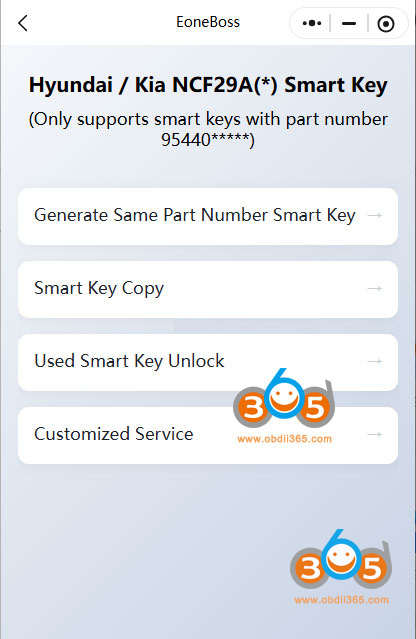
Question: What’s the difference betweenEoneBoss NK001and HK001 key copy device? They all copy Hyundai /Kia NCF29Ax smart keys?

Here is the clue.
1. Vehicle Coverage
HK001: for Hyundai and Kia only
NK001: for multile brands
2. Functions
HK001:
1). Generate Hyundai Kia smart remote
2). Copy Hyundai/Kia NCF29Ax smart key.
3). Unlock Hyundai/Kia smart keys

HK001:
Copy NCF29Ax smart keys for multiple car brands.

Both devices will copy Hyundai/Kia NCF29Ax smart keys. HK001 will do Hyundai/Kia only. NK001 cannot generate remote and unlock smart key. It only copy smart keys.
Posted by: jean at
07:42 AM
| No Comments
| Add Comment
Post contains 98 words, total size 3 kb.
May 20, 2026
What device to program 2024 and onwards Honda Prologue proximity smart key?
Does Honda i-HDS program this key?
It looks like GM remote.

Here is the clue.
TheHonda Prologue & Acura ZDXwere developed on aGM Ultium platform, standard Honda diagnostic tools (like i-HDS) do not work for their module programming.
These vehicles (Prologue EV and ZDX) are actually GM-built. And it appears that GM dictated that SPS2 would be the only programming tool to touch them. It is an EV Blazer rebadged.
SPS2 all day long on the Prologue EVs.
What you need:
- A Windows PC
- A validated J2534 passthrough device (such as the GM MDI-2/Topdon Rlink J2534/VXDIAG VCX CAN FD)
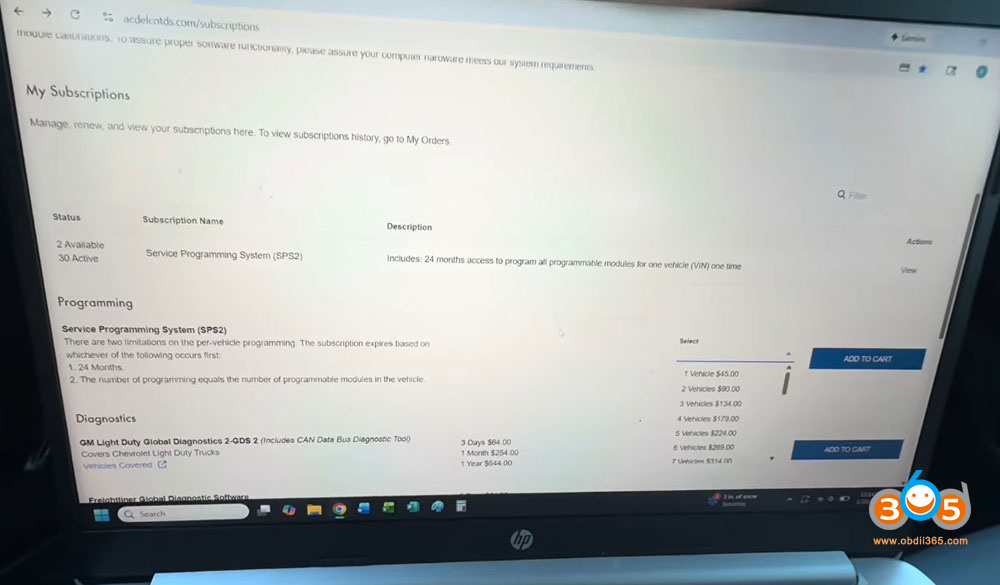
- An active SPS2/Techline Connect subscription.
- Battery tender on the 12V battery – Essential to prevent voltage drops during programming.
- EV charger connected – Keeps the high-voltage system stable.
- Laptop with internet connection – First-time software downloads can take over an hour.
You will see manual selection under SPS2 for make and see Acura and Honda.
What it does:
SPS2 is used to flash, configure, and update electronic control units (ECUs), infotainment systems, and perform key/immobilizer programming.
How to Program 2024 Honda Prologue/ Acura ZDX Smart Key with Techline Connect SPS2?
How to set up GM TLC SPS2 for these EVs?
Step 1: Prepare the Vehicle
Put the Honda Prologue intoservice modeby holding the start button for about 10 seconds until the vehicle enters accessory mode. This keeps the electronics awake without starting the propulsion system.
Do not skip the battery tender and charger. Programming failures often happen due to voltage drops.
Step 2: Log Into Techline Connect (TLC)
Open your browser and log into yourACDelco TLCaccount. If you don’t have a subscription yet, you can purchase one per VIN—typically around35–45. Once logged in:
-
ClickAdd VINand enter the Prologue’s 17-digit VIN.
-
The system will launch theSPS (Service Programming System)application.
-
If it’s your first time, be patient—initial software downloads can take1 to 1.5 hours, especially after adding Honda/Acura patches.

Step 3: Connect to the Vehicle
Once SPS is open:
-
ClickConnect Vehicle.
-
The system will recognize the VIN (e.g., 2024 Honda Prologue Touring).
-
If the vehicle doesn’t appear automatically, go to theSPStab and selectReprogram.
Chip notes that the first connection to a new vehicle can take up to 5 minutes while the tool communicates with all controllers.
Step 4: Select the Module to Reprogram
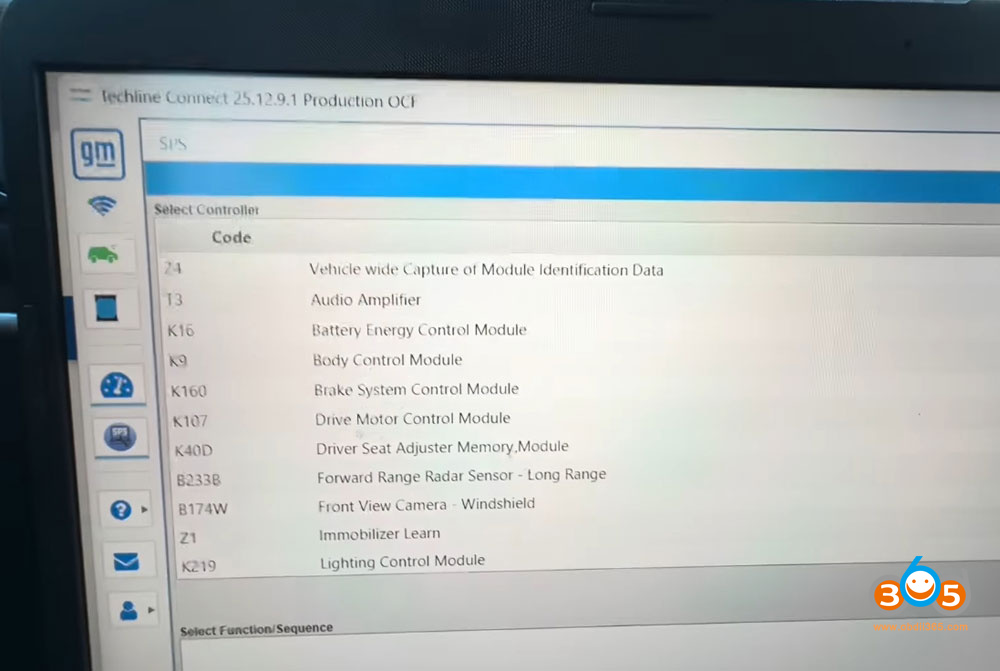
After the connection is established, you’ll see a list ofSupported Controllers. This includes:
-
Radio (infotainment)
-
Immobilizer (key programming)
-
Body Control Module (BCM)
-
And more
To program a new key, selectImmobilizer Learnand choose the appropriate option (e.g., "Add a Key”).
To reprogram the radio, select the radio module. The system will guide you through preparing a USB drive, transferring files, and then plugging that USB into the vehicle’s port to complete the flash.

Step 5: Follow the On-Screen Prompts
-
The software may warn you that you’re reprogramming with the same calibrations. You can override this if needed.
-
Programming time varies.
If a module fails to reprogram, it may be physically faulty.
Important Limitations
-
SPS is for reprogramming only– It isnota diagnostic tool. You’ll need separate GM diagnostic software or hardware for advanced troubleshooting.
-
Honda Prologue requires GM tools– Due to the shared platform, you cannot use Honda’s standard HDS system for low-level module programming.
-
Key programming is possible– You don’t need special access. Just a proper replacement key and the immobilizer learn procedure.
Posted by: jean at
09:37 AM
| No Comments
| Add Comment
Post contains 573 words, total size 8 kb.
May 19, 2026
Problem:
Lexus GX 2023 all keys lost situation. The owner tried to back up immo data withAutel IM608and g-box failed. Then he does reset immo box but when he tries add key, learning failed.
Error when back up immo data:
The current smart main ECU software version number is not supported.


Solution:
TMLF12-1 (FCC ID: NI4TMLF12-1) is a smart key immobilizer model manufactured by DENSO used in various Toyota and Lexus vehicles. It typically operates on a 314-315 MHz frequency and is used for 8A-type knife keys and push-button proximity systems.
As Autel said, this ECU software version is not supported by Autel IM508/IM608.
Try other devices.
User feedback:
Autel failed.Lonsdor K518 proworking fine.
Programmed by lonsdor reset immo.


Posted by: jean at
07:11 AM
| No Comments
| Add Comment
Post contains 131 words, total size 5 kb.
May 18, 2026
Tutorial: How to program 2021 Ducati I MULTISTRADA V4 S 8A transponder key with OBDSTAR MotoMaster programmer.
Prerequisites for Key Programming:
1.The vehicle’s original immobilizer system must be free of faults. No immobilizer warning light should be solid or flashing on the dashboard, and communication to the ECU and immobilizer module must be normal.
2.At least 1 valid original key capable of starting the vehicle normally is required for scanner communication verification and immobilizer security validation.
3.The key to be programmed must be an original, brand-new blank 8A immobilizer key. The transponder must be unprogrammed and not previously bound to any vehicle’s immobilizer data. (See key diagram below

Preparation
Preparation:MOTOMASTER, M001A,M041
Steps:
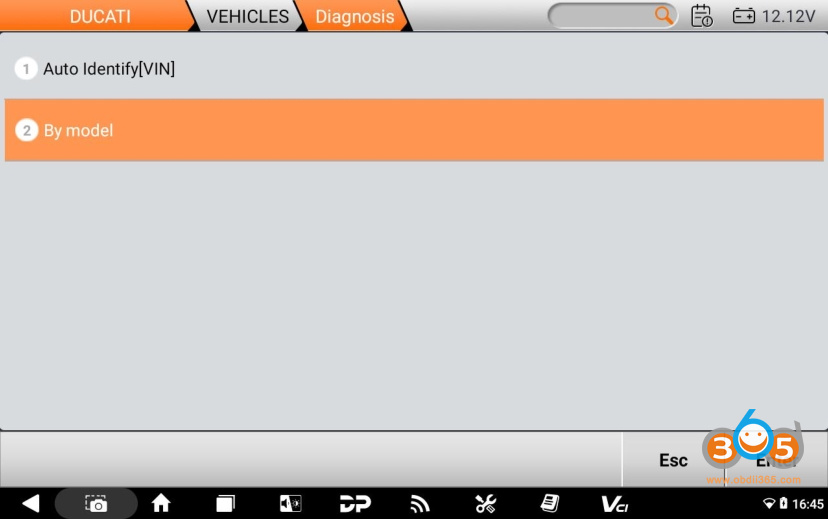
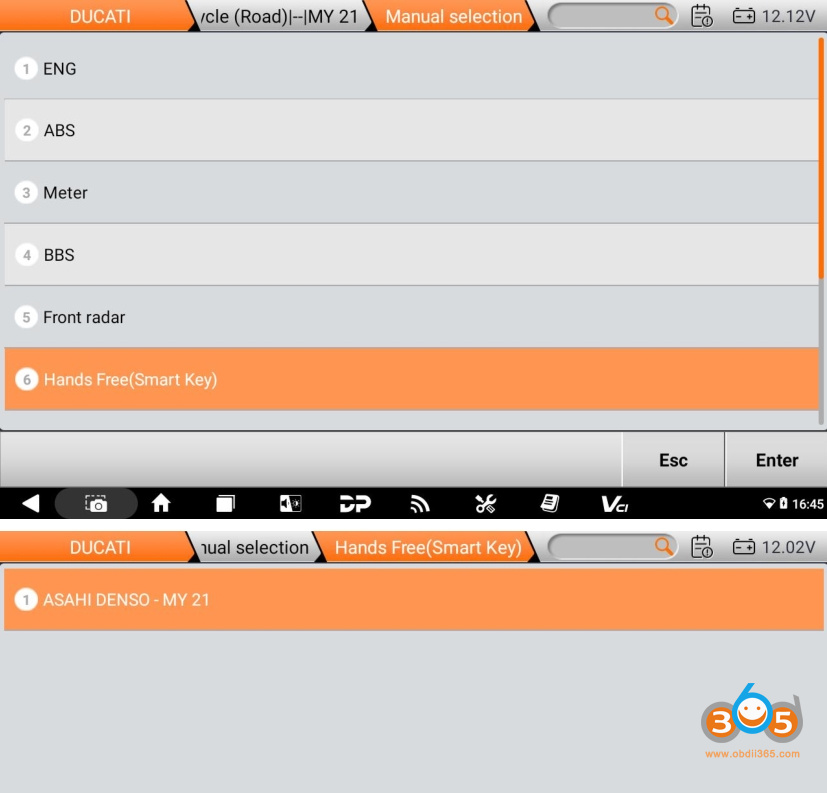
Select【MOTO Diag】>【DUCATI】> Latest Version >【Diagnosis】


Choose【By model】

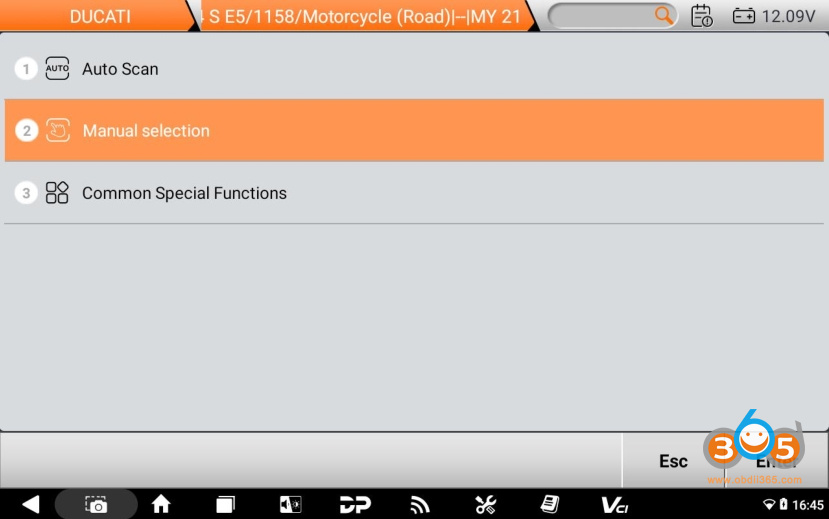
Sequentially select 【M】 >【Multistrada V4 S E5】 > 【1262】 >【MY 21】 ;

Click【Manual selection】

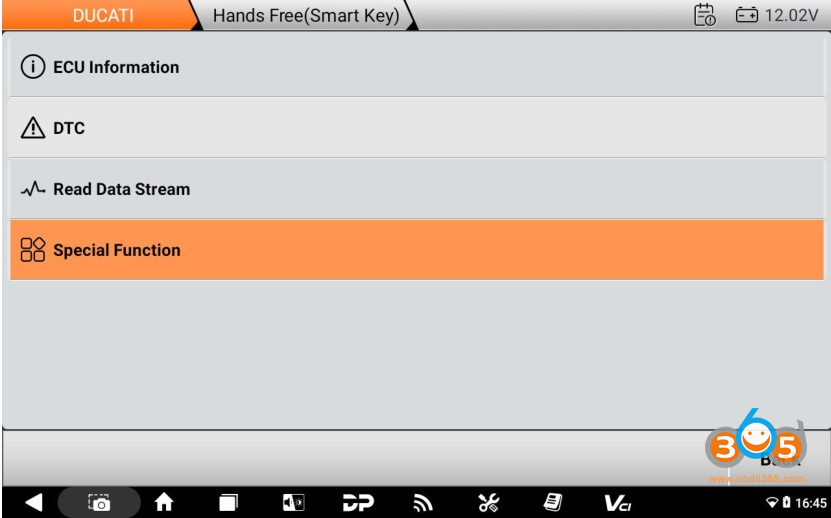
Click【Hands Free (Smart Key)】and tap【Enter】

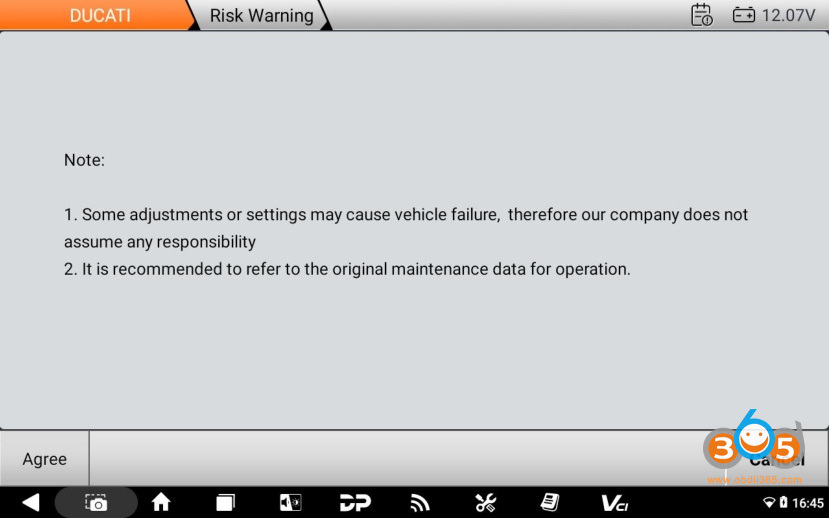
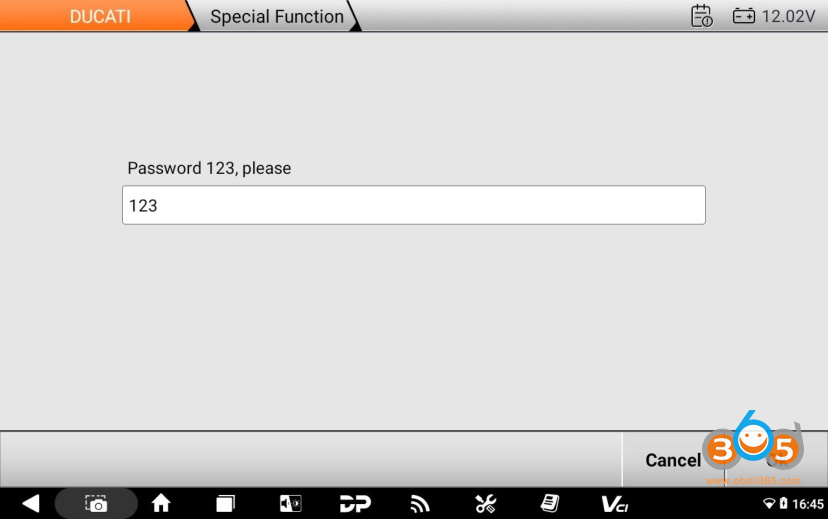
Click【Special Function】, follow the prompts, enter the password123, Click【OK】


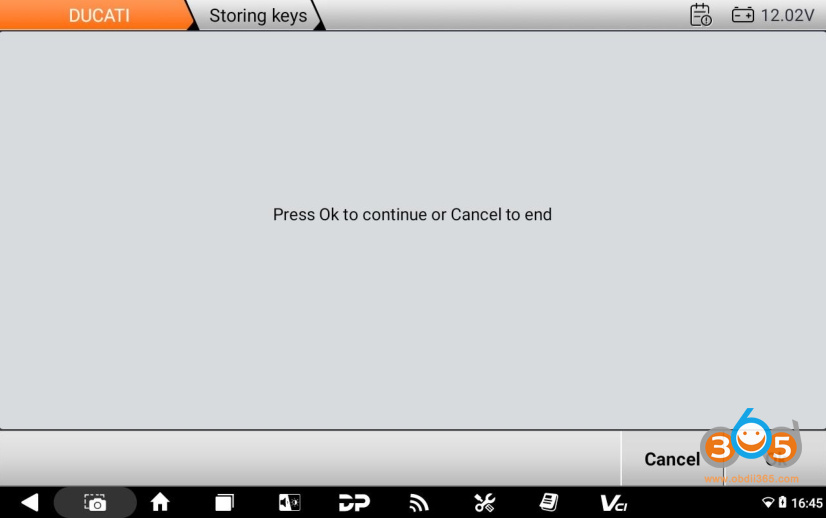
Click【Store Keys】function ;

Click【OK】

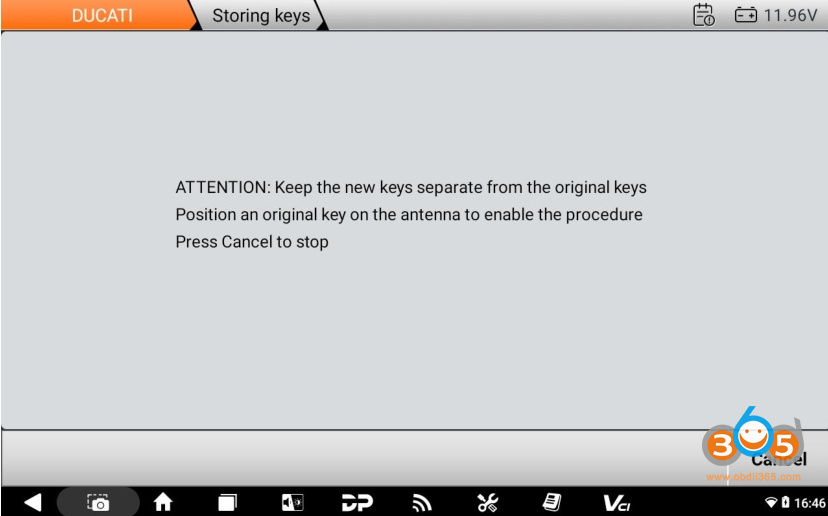
Place the key to be programmed more than 3 meters away from the vehicle. Place the original working key at the vehicle’s antenna location and wait for the system to identify it;
(Antenna Location: Front section of the fuel tank / central area below the instrument cluster, near the steering lock).


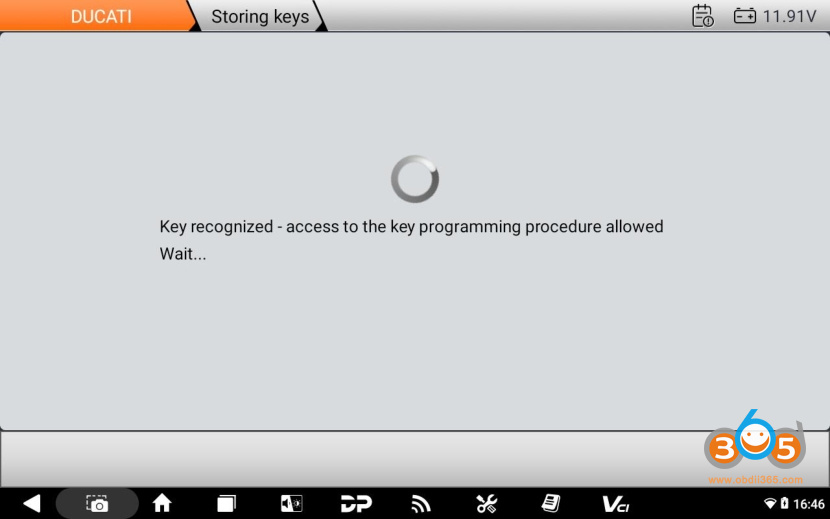
Positiontheoriginalkeyjustusedontheantennaand Click【OK】;


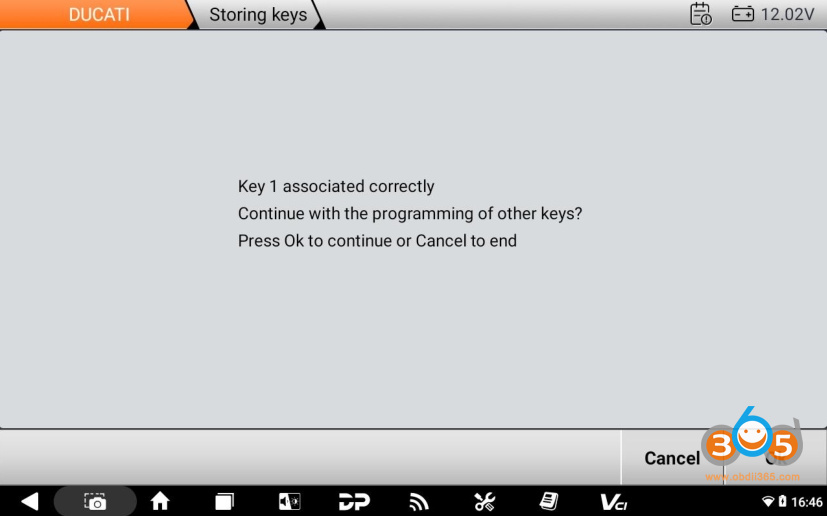
The original key (Key 1) has been successfully identified and programmedand Click【OK】;

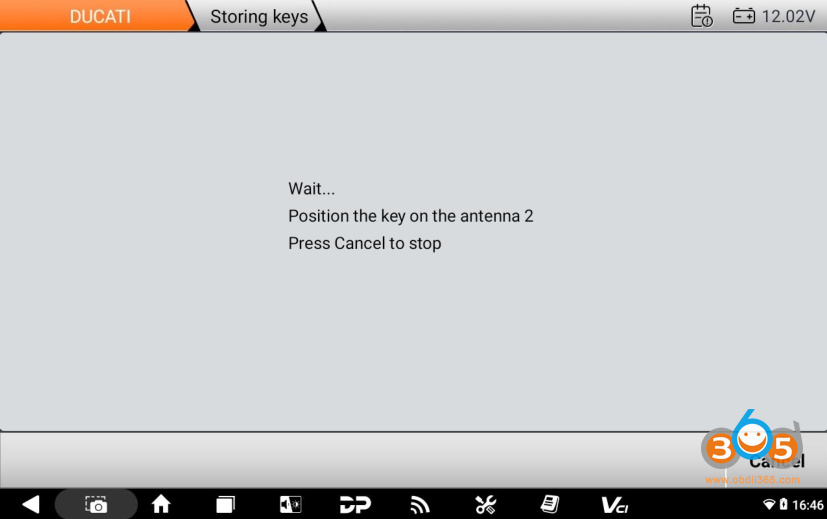
Place the new key to be programmed at the antenna location and wait for the programming process.

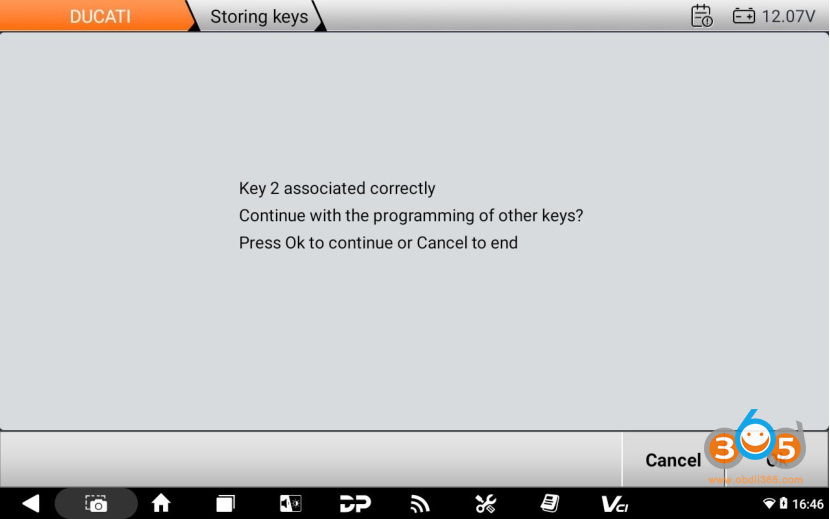
The new key has been successfully programmed. Select【Cancel】to exit (or tap【OK】to continue programming a second new key).
ClickOK.

Key programming is complete.
Posted by: jean at
07:07 AM
| No Comments
| Add Comment
Post contains 263 words, total size 22 kb.
32 queries taking 0.0674 seconds, 213 records returned.
Powered by Minx 1.1.6c-pink.