



November 08, 2024
How to read pin code and add smart key to a 2022 Hyundai Elantra usingOBDSTAR X300 DP Plus? Check instructions below:
1.Read pin code
Select Hyundai latest software->Read pin code->Proximity
The function requires network connection
Read pin code successfully.


2. Program smart key
Select from model->Hyundai->North America->Elantra-> 2019 onwards-> Proximity->Type 1(CAN)->Program Smart keys


The function requires network connection.
All keys will be erased and need to be programmed to use.

Turn off ignition, open and close the driver door.


Press Enter button, use the top of the proximity key to keep pressing the start/stop button for 5s within 5s, the immobilizer light will flash.
If the operation fails, remove the key shell and perform function again.

X300 DP Plussaid key is not detected. So we remove key shell and try again.


Repeat and program 1st key successfully.

Put the 2nd key to the Start/Stop button to program until completed.
Done.
http://www.key-programmer.org/2024/11/07/obdstar-program-2022-hyundai-elantra-proximity-smart-key/
Posted by: jean at
12:45 AM
| No Comments
| Add Comment
Post contains 166 words, total size 15 kb.
November 06, 2024
Xhorse MVCI Pro J2534 Passthru firmware 1.3.3 adds drivers for Volvo, Renault, Nissan and PSA. Here we will show how to use mvci pro with Peugeot Citroen PSA Diagbox software.
How to Install PSA Diagbox forXhorse MVCI Pro?
Software version: Diagnox 9.85 (free to test other versions)
Operating system: Windows 11 / Windows 10 / Windows 8.1 /Windows 7
Main steps:
- Download MVCI Pro J2534 driver software
- Install Diagbox software
- Install PSA VCI driver
- Install PSA driver in MVCI Pro driver
- Configure software
Procedure:
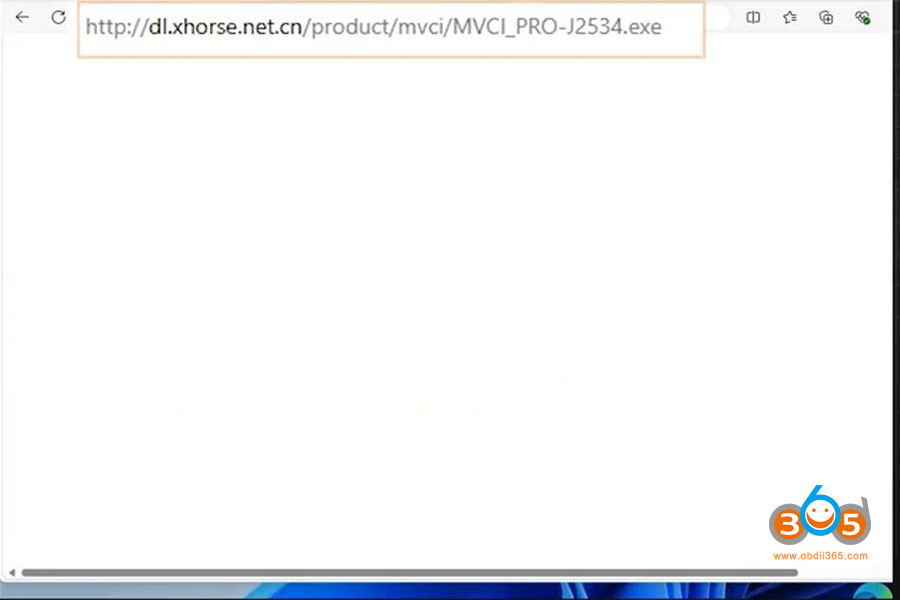
1.Download MVCI J2534 driver software here or via Mega link
2. Install Diagbox software
MVCI pro comes without software. Get software by yourself.
9.85 version may requires activation.
You can download 9.85 softwarehere


3.Install PSA VCI driver

Driver install successfully. Now connectmvci pro cablewith laptop.

4. Install MVCI pro J2534 driver

Run MVCI pro driver
Connect device and read authorization info.


Go to Vehicle Diagnosis and install the Peugeot Citroen Diagbox driver

5.Run diagbox
Run Diagbox software on desktop.
Select brand and model to diagnose vehicle.


Posted by: jean at
07:46 AM
| No Comments
| Add Comment
Post contains 186 words, total size 11 kb.
November 05, 2024
Good news!Autel MaxiIM IM508/IM608(alsoOTOFIX IM1/IM2) now has an integrated mqb2 calculator.There is now a MQB sync Data calculator built into to immo software. You don’t need to obtain sync data from 3rd party if program all keys lost.
You will need XP400 Pro (XP1 Pro for OTOFIX) to calculate sync data.
We need CS from each cluster, ecu, gearbox (if automatic ), kessy (if keyless )
Instrument panel CS code 16 bytes
ECM 16 bytes CS code
Tcu 16 bytes CS code
ESCL (Electonic Steering Column Lock) ELV 16 bytes CS (if present)
Then you will get sync data for free.
FindCalculate synchronized datamenu under MQB function.
Menu in Autel

Menu in OTOFIX

To program VAG MQB NEC35XX or RH850/V850 key, you will needAPB131 adapter.

Posted by: jean at
08:57 AM
| No Comments
| Add Comment
Post contains 145 words, total size 4 kb.
November 04, 2024
VAG VW Audi Skoda Seat Bentley Lamborghini Offboard Diagnostic Information System Service 24 and Engineering 18 software download free.
Software version:
ODIS Service (ODIS-S)24.1.1 or 24.1.2, PostSetup 240102.101.10
ODIS Engineering (ODIS-E)18.1.0
Compatible devices:VAS6154 genuine devices or with passthru interfacesVNCI 6154Ared interface etc.
VXDIAG driver is not ready for this version.
Operating system:Windows 10, Windows 11
It may not work in Virtual Machines.
ODIS Service 24.1.2 + Postsetup + Patch
ODIS Service 24.1.1 + ODIS Engineering 18.1.0
How to Install ODIS S V24 Software?
Unzip postsetup zip file
Install ODIS-S 24 setup.


Open Patch folder
Copylicense.datandOffboardDiagLauncher.exefiles and replace them on C://Program Files/OS folder


Run OffboardDiagLauncher.exe in this folder as administrator

Select and upload ODIS-S postsetup folder

Select PostSetup language.
Select your desired language, you cannot change postsetup language in software later.

Downloading database


Installation is completed.

Check language info.

Set connection type as Internet and save setting.
NowODIS-S 24software is ready to use.
For ODIS E V18 installation, check instruction here
How to Install ODIS Engineering 18.1.0 for VNCI 6154A/VXDIAG?
Posted by: jean at
06:53 AM
| No Comments
| Add Comment
Post contains 180 words, total size 12 kb.
November 01, 2024
Thinking to buyAutel IM608orCGDI BMW?
What can cgdi do that autel can’t do?

For example save your ass when autel can’t when your FEM/BDC will get properly stuck in programming mode.
Got one module (BDC) which got coding pulled etc by different tool, as tried first time OBD, always did it on bench in past and that didn’t do upgrade correctly, CGDI BMW got it sorted without any issue in few mins, when few other tools couldn’t even connect
There was no igntion etc, and it wasn’t a common clicking eeprom fault.
CGDI can do coding and programming for CAS 1 to 3 and all F and G series.
Sometimes clicking is not due to eeprom being corrupt it can be due to programming failure after eeprom has been altered. CGDI can fix this by powering the eeprom to prevent clicking and then reprogramming can be done. All without desoldering. Basically it can program FEM BDC from scratch using VIN number. Autel can’t do this yet.
It’s very good at doing cas3++ isap obd and recoding the 9389115.
CGDI will also connect to ICOM to use ISTA and E-sys functions. Autel cannot.
The IM608 has more value if you buy the bundle kit that comes with the APB112 Key simulator and the GBOX2. But if you need a starting tool for just BMW vehicles, CGDI BMW is a good choose.
Here are come user review:
1).
I have IM608II, vvdi prog, multi prog, vvdi2, key tool max, key tool plus, Lonsdor 518, Abrites, OBDStar, KM100,CGDI BMW. And maybe more I’ve forgotten about. I highly recommend CGDI for doing BMW though. It was recommended to me by a highly experienced locksmith and I’ve been very pleased with how it works. Very user friendly.
3). I’ve done many downgrade no problems. make sure you have battery connected to proper power when downgrading. no worries because if something happens to cas during downgrade, you can use cgdi to fix cas, tried it by disconnecting cable during downgrade, killed cas, and restored with cgdi. good product.
Posted by: jean at
06:57 AM
| No Comments
| Add Comment
Post contains 359 words, total size 4 kb.
32 queries taking 0.0738 seconds, 199 records returned.
Powered by Minx 1.1.6c-pink.


