



August 14, 2023
It is possible to use Renault CLIP software viaOpenport 2.0passthru interface.
You need to trick Clip into believing your passthru (j2534) vci is anAlliance VIprobe.
How to configure openport 2.0 with Renault Clip?
1. Install Renault clip software.
Set "Vendor"=”79B” and "Name"=”1B” on your passthru registry settings inHKEY_LOCAL_MACHINE\SOFTWARE\PassThruSupport.04.04\<VCI>
Changed registry key name to "Openport 2.0 reg.”
Changed vendor to "79B”
Changed name to "1B”
Then imported the new entry into registry.
2. Install Openport 2.0 driver


3. Merge Openport 2.0.reg registry file


4. ConnectOpenport 2.0 cablewith laptop
Go to device manager, check if device is well connected.

5. Run CLIP software as Administrator
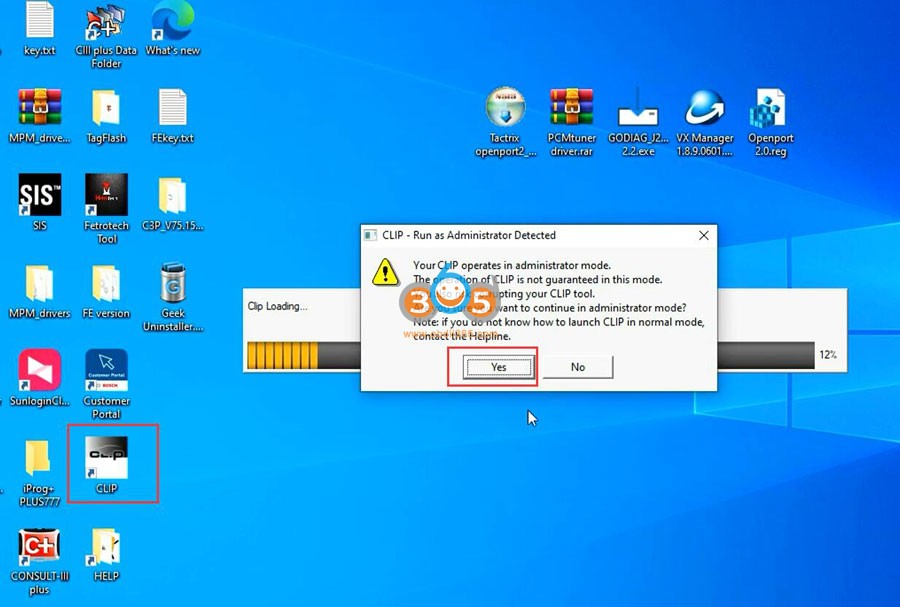
Software is ready to use.


NOTE: Openport j2534 works good on 2005- CAN BUS Renault models, better not use it on -2005 Kline models (will not cumminicate).
Test video:
Read Also:
Posted by: jean at
09:14 AM
| No Comments
| Add Comment
Post contains 152 words, total size 10 kb.
35 queries taking 0.1159 seconds, 194 records returned.
Powered by Minx 1.1.6c-pink.

