September 16, 2026
Problem:
Need to make Toyota 8A BA smart key withLonsdor K518programmer. The device failed to obtainLKE emulatordata and says Boot version 96F77684-01


Solution:
First, go to Special Functions > Analog Chips > Analog Chip Generation > 4D to generate a blank 4D chip, and then upgrade it.
Then try again.
Posted by: jean at
07:44 AM
| No Comments
| Add Comment
Post contains 59 words, total size 5 kb.
September 15, 2026
Possible to program newer 2023 Nissan Serena smart key withAutel IM508/IM608?
Any risk if we try it withNissan 40pin BCM cable?

Here is the clue.
Sometimes it works; sometimes it does not. If Autel fails, try Lonsdor. If all fail, try the key cloning function.
User’s working experience:
"Did one with Autel IM608 last week. After I plugged 40 pin cable, I lost communication. So I read basic data (key positions and ID’s) throught basic OBD connection and made key clone with Autel (butwrote lost ID in new key). Both keys worked perfect; no remote sync issue will appear cause there are 2 different keys ID’s.
Autel NXP copy is the the same as NXP killer.
NXP killer makes only direct clone of key, you cannot change ID. Its simple copy-paste function.Autel hacked this type of NXP chip too with changing ID’s feature.So with NXP killer you could have sync issues, with autel you won’t (if you choose lost keys ID to new one).
Autel MaxiIM IM508/IM608 series now supportsNissan NCF29Ax NXP smart key cloningfunction.
Supported models:
2019- Ariya, Pathfinder, X-Trail, Qashqai, Sylphy, E-POWER, HB18, KICKS, MICRA, Note e-POWER, NP300 FRONTIER, NAVARA, NP300 NAVARA, PRIMASTAR, R53, ROGUE, Serena e-POWER, Sylphy e-POWER, SYLPHY Zero Emission, TOWNSTAR.
2121- RH850 series Infiniti QX60, QX60 hybrid
Supports copying AUTEL ikey universal and original keys. AUYEL smart keys need to be generated in advance.
Remove the original car key.
Connect the XP400 Pro programmer, key board, andAPB131 adapter.
If you cannot find the wiring diagram for the exact key board type, refer to the key chip wiring diagram based on the chip type to perform the reading.
Read and save key data.
Then write a new Ikey or original key.


Posted by: jean at
08:28 AM
| No Comments
| Add Comment
Post contains 295 words, total size 5 kb.
September 14, 2026
Magic Motorsport Flex unlocked Mercedes Benz locked MD1CP001 ECU successfully.
Using the newKorhexunlock adapter.
Done in boot glitch mode.
Need to open the ECU but without soldering wires and removing resistors.
Read and write ECU on bench after unlocking ECU.
Checksum correction with Flex.


Posted by: jean at
08:49 AM
| No Comments
| Add Comment
Post contains 52 words, total size 4 kb.
September 11, 2026
Today we’re working on a 2022 Geely Coolray. The customer is trading in the car, and as often happens, without a second key, they accept the car at a lower price. The task is to make a second key.
Programming keys for these cars requires a 32-digit ESK code, which isn’t always readable, and the reading procedure carries certain risks.
Few people do it correctly, and at best, you’ll end up with non-erasable errors, and at worst, you’ll lose your property.
We usedXtool X100 PAD3(or more advanced tablets) with KC501 to program key.
Read 32-digit ESK code, then add a smart key.
Preparation time: 30 minutes.
Below are some photos of the process.


Posted by: jean at
07:31 AM
| No Comments
| Add Comment
Post contains 121 words, total size 4 kb.
September 09, 2026
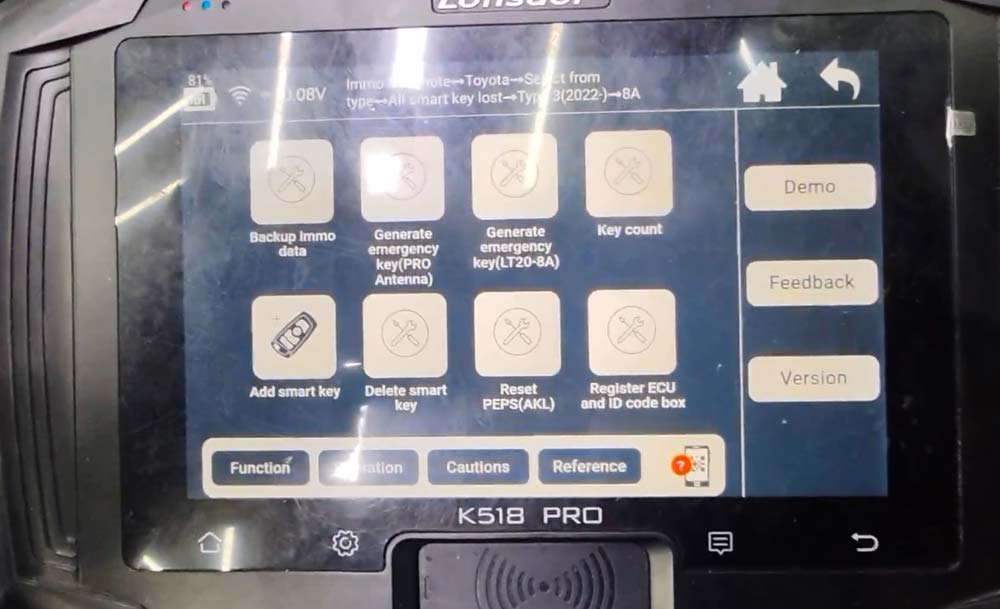
We demonstrate the smart key programming process for the new-generation Toyota Prado 2025. We have used theLonsdor K518 Proand provided a step-by-step guide on how to program this new model.
Procedure:
ConnectLondsor FP3030 pin cable to the smart box. The smart box is located under the instrument on the driver side.
Then connect OBD cable with K518 Pro programmer.


Go to IMMO & Remote- Toyota- Select from type- All smart key lost- Type 3 (2022-)- 8A.
Select Back up immo data.

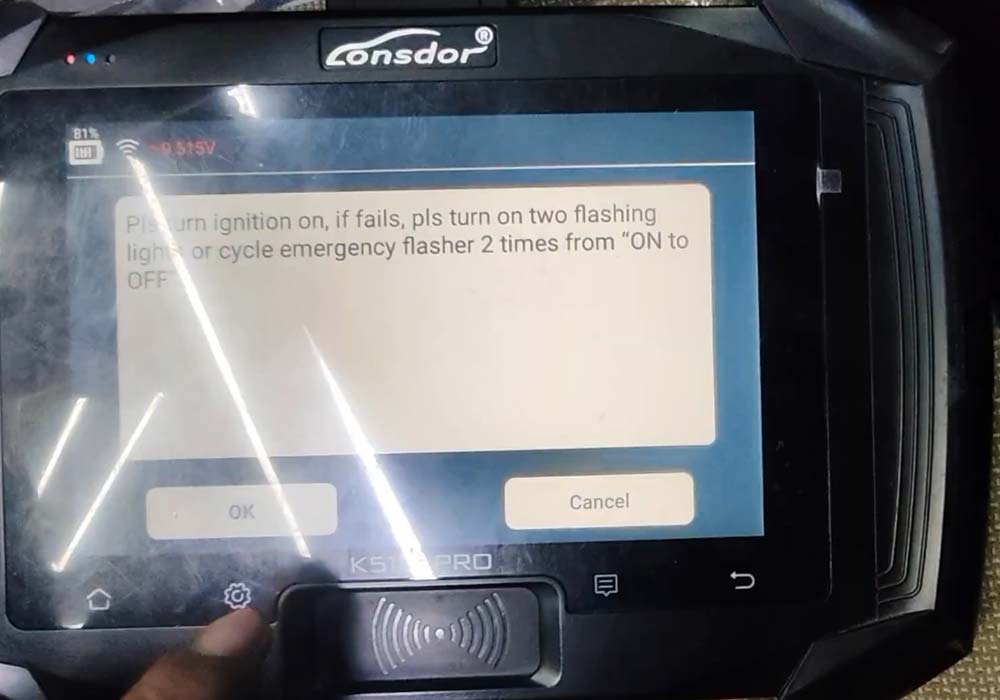
Turn on ignition; if it fails, turn on the emergency flashers 2 times from ON to OFF.
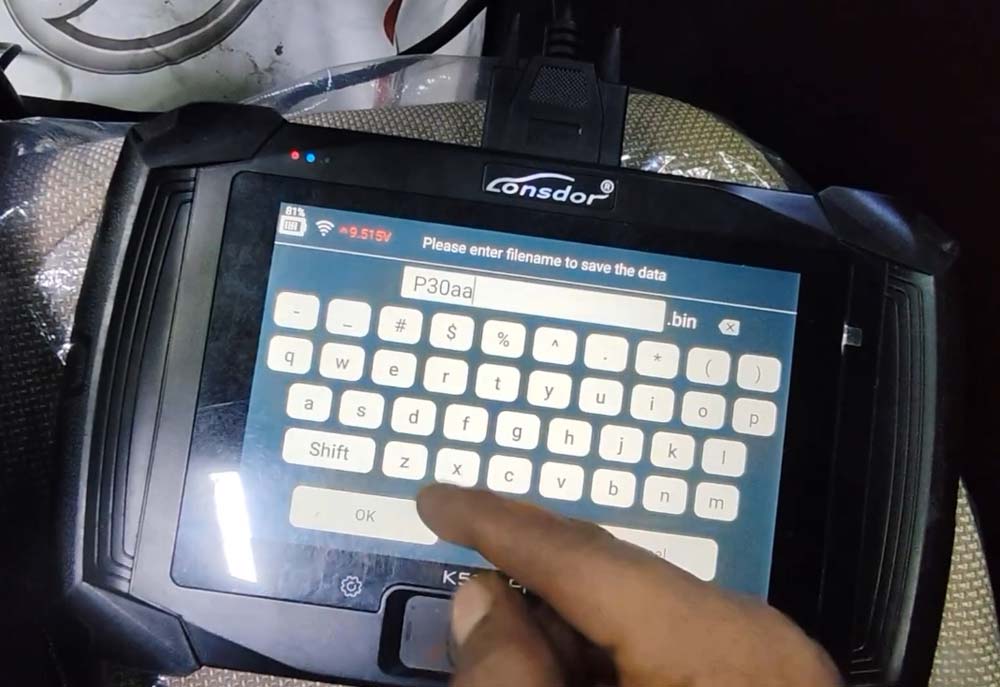
Read and save immo data.


Keep the vehicle full charged.
Turn on ignition switch.
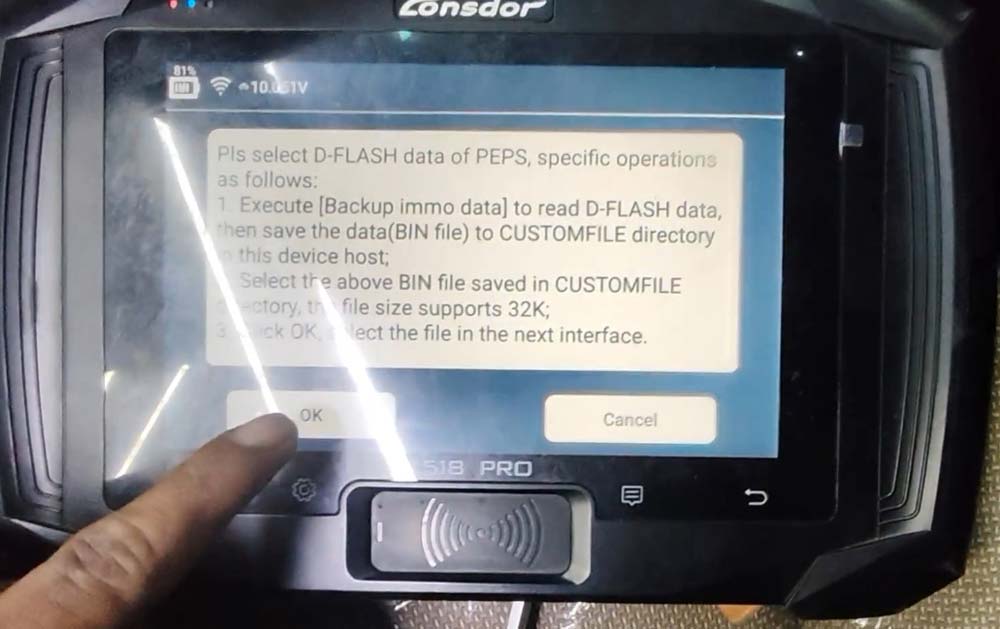
Select the smart box immo data PEPS D-flash data just saved to obtain 12-digit pin code.

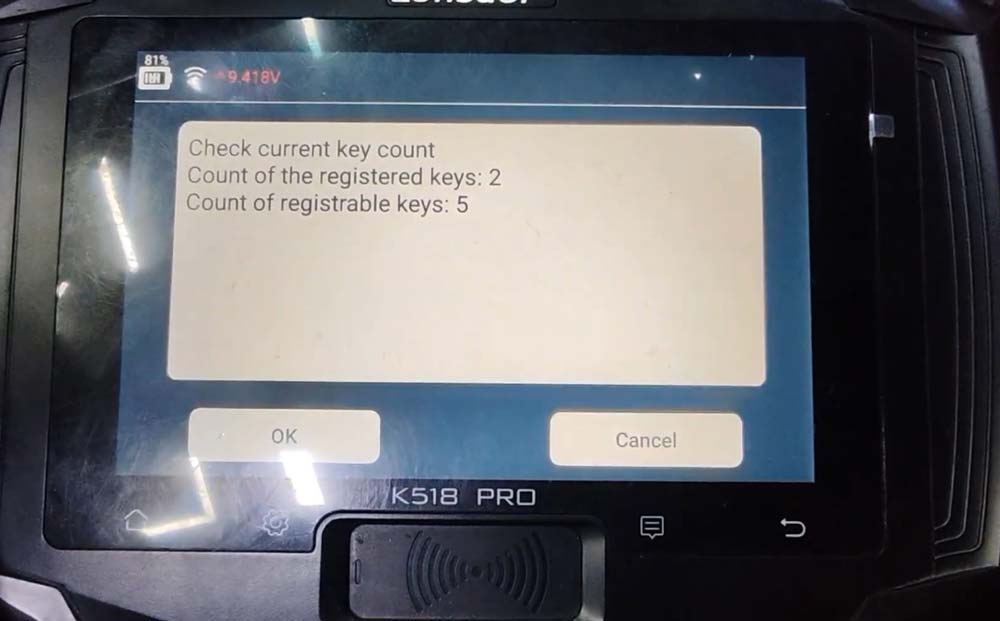
Detect key number information.

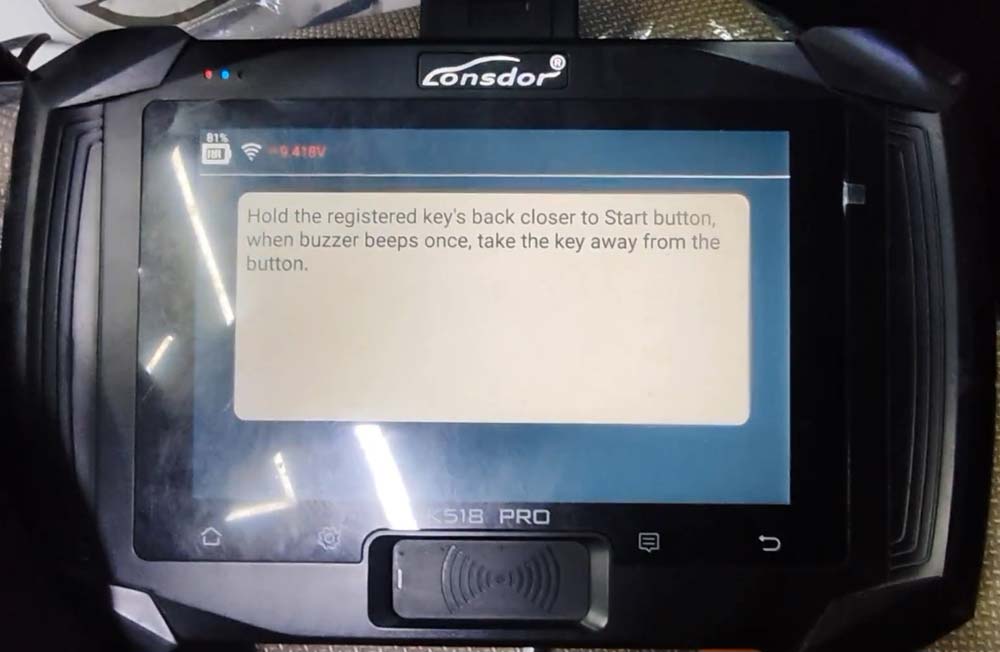
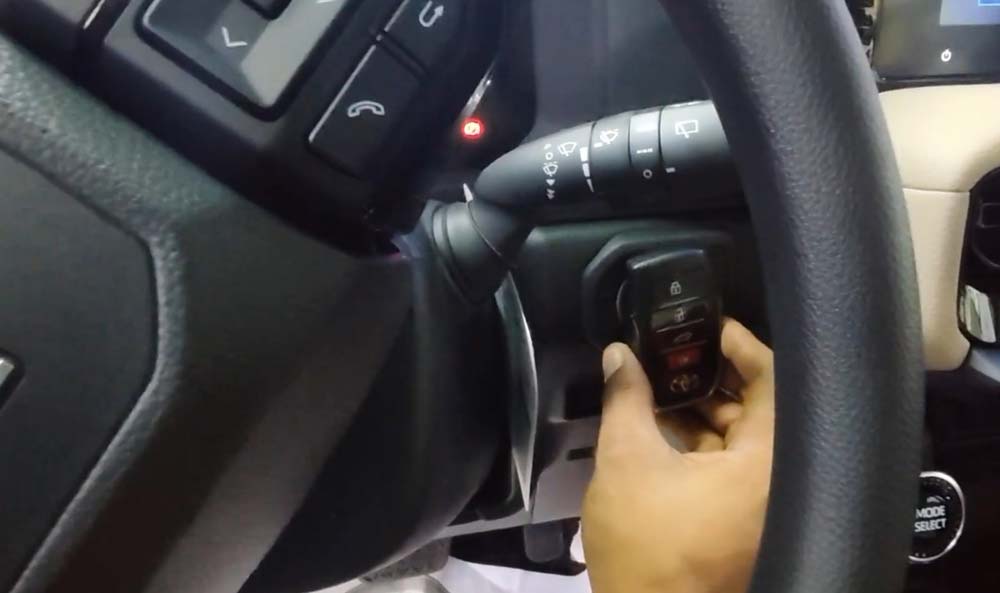
Hold the registered key’s back close to the Start button, when buzzer beeps once, take the key away from the button.

Hold the new smart key’s back close to the Start button, when buzzer beeps once, take the key away from the button.

Program a new 8A smart key successfully.

Posted by: jean at
06:59 AM
| No Comments
| Add Comment
Post contains 196 words, total size 12 kb.
September 08, 2026
What’s the most cost-effective solution for VAG SFD security gateway unlocking?
We would like to recommend a few more budget-friendly options.
1). OBD Eleven
Unlocking SFD (Vehicle Diagnostic Protection) itself is free once you have a qualifying account, but you need at least the PRO plan (€59.99/year) or ULTIMATE plan (€189.99/year) to use the manual coding and SFD unlock features.
There is no extra cost for unlocking SFD.
SFD Unlock Function:€0.00 (No extra cost per unlock, tokens, or GeKo account required).
Required Plan:Available on the OBDeleven PRO Plan (€59.99/yr) or ULTIMATE Plan (€189.99/yr).
One-Click Apps (Alternative):If you use pre-made One-Click Apps instead of manual coding to change settings, you do not need a PRO plan; you only need Credits (micro-currency), though running them still goes through the underlying SFD server request.

2). Autel SFD unlock annual subscription
Autel has two ways to unlock SFD:1 token($15 for a 90-minute SFD unlock, not the cheapest) or anannual token subscription.
Pay the 115$ to Autel for a year subscription and unlock as many vehicles as needed.

Check supported Autel devices and detailed info here:
How to Online Unlock VAG SFD with Autel MaxiSys (Purchase Tokens in Device)?
Most scan tools can unlock SFD, the yearly subscription unlock is the best option if you’re doing them regularly.
TOPDON and LAUNCH X431 also have one-year SFD unlocking authorization, but they cost much more than AUTEL’s.
Topdon’s 1 year SFD access is $229 and Launch X431 is more complex [European users must get SGW bundle package $1,151; Japan, South Korea, New Zealand, Australia:299USD; Other Asian countries:199USD.].
There are also some other devices that support SFD unlocking, i.e Xhorse, Keydiy, but they charge on a per-use basis, which is not cheap in the long run.
Please be aware that this refers to the SFD1 unlocking solution, not SFD2.
Posted by: jean at
08:31 AM
| No Comments
| Add Comment
Post contains 295 words, total size 4 kb.
September 07, 2026
Problem:
Tried to add a spare BMW BDC 085 version key withYanhua ACDP2but failed. It says "usb line is poll out” and coding was lost.
14V stable power supply.
Not touched anything during preprocessing.
Any solution?


Solution:
You can restore it with ACDP itself.
If does not work error "Restoring Coding data failed, please use BMW ESYS to restore the Coding data”, follow the suggestion and restore data withE-sys.
User report:
1). Restored (remotely) with esys and added key on bench.
2).
I had the same issue with a BDC in two different occasions.
I ended up restoring data with Vvdi bim tool.
Posted by: jean at
06:52 AM
| No Comments
| Add Comment
Post contains 111 words, total size 3 kb.
September 04, 2026
DUCATI
[Version: V33.30]
-
Supports models up to the 2026 model year.
-
Add below models:
-
Xdiavel V4 E5+
-
Multistrada V4 Pikes Peak E5+
-
Panigale V4 E5+
-
Panigale V2 E5+
-
Multistrada V4 Rally E5+
-
Multistrada V2 S E5+
-
Hypermotard 698 Mono E5+
-
Streetfighter V4 E5+
-
Multistrada V4 E5+
-
...
Supported Tools
Supports models up to the 2026 model year.
Add below models: XDiavel V4 E5+, Streetfighter V4 E5+, Streetfighter V2 E5+
Add special function descriptions (usage scenarios and expected results).
Add transport mode enable/disable function for below models: Scrambler E5/E5+
Add below special function for Panigale V4 E5+ RL On/Off
Add below special functions for XDiavel V4 E5+:
TPMS registration
TPMS code programming
Oil service
Valve check
Annual service
Next oil service reset
Next valve service reset
Next annual service date modification
Current dashboard date modification
Current dashboard time modification
Add below special functions for Streetfighter V4 E5+:
VIN writing
GPS model configuration
TPS adaption reset
GPS coordinate data synchronization
Throttle balance
Debug package enable/disable
Odometer writing (accumulator)
ABS setting in EOL mode
Debug package reset
Add below special functions for Streetfighter V2 E5+:
Fuel level value reset
Battery voltage history display
Version setting in BBS
Key reset
Next service date adjustment
Gear reset
Battery voltage history reset

Posted by: jean at
07:16 AM
| No Comments
| Add Comment
Post contains 226 words, total size 4 kb.
September 03, 2026
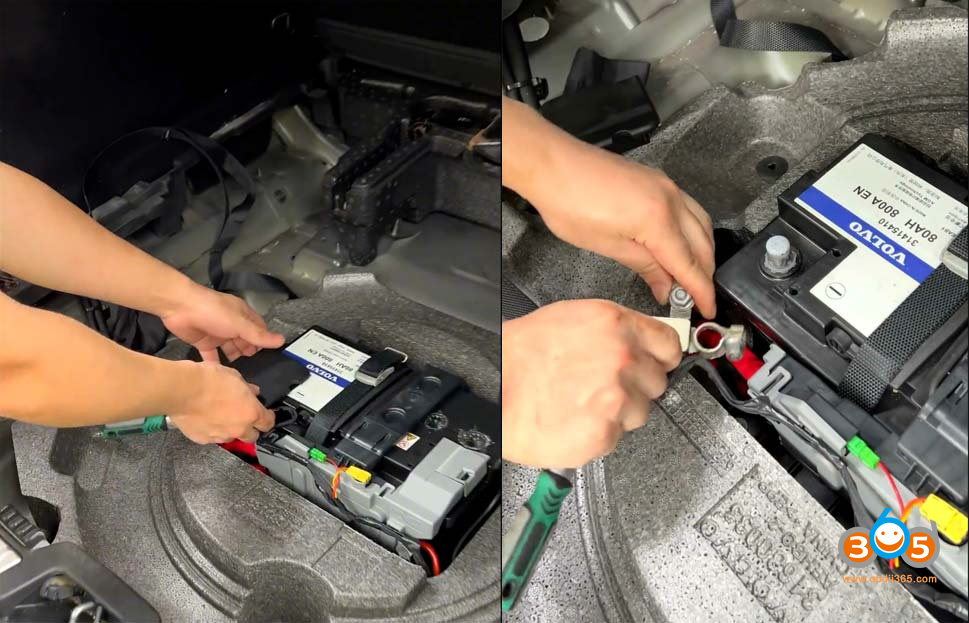
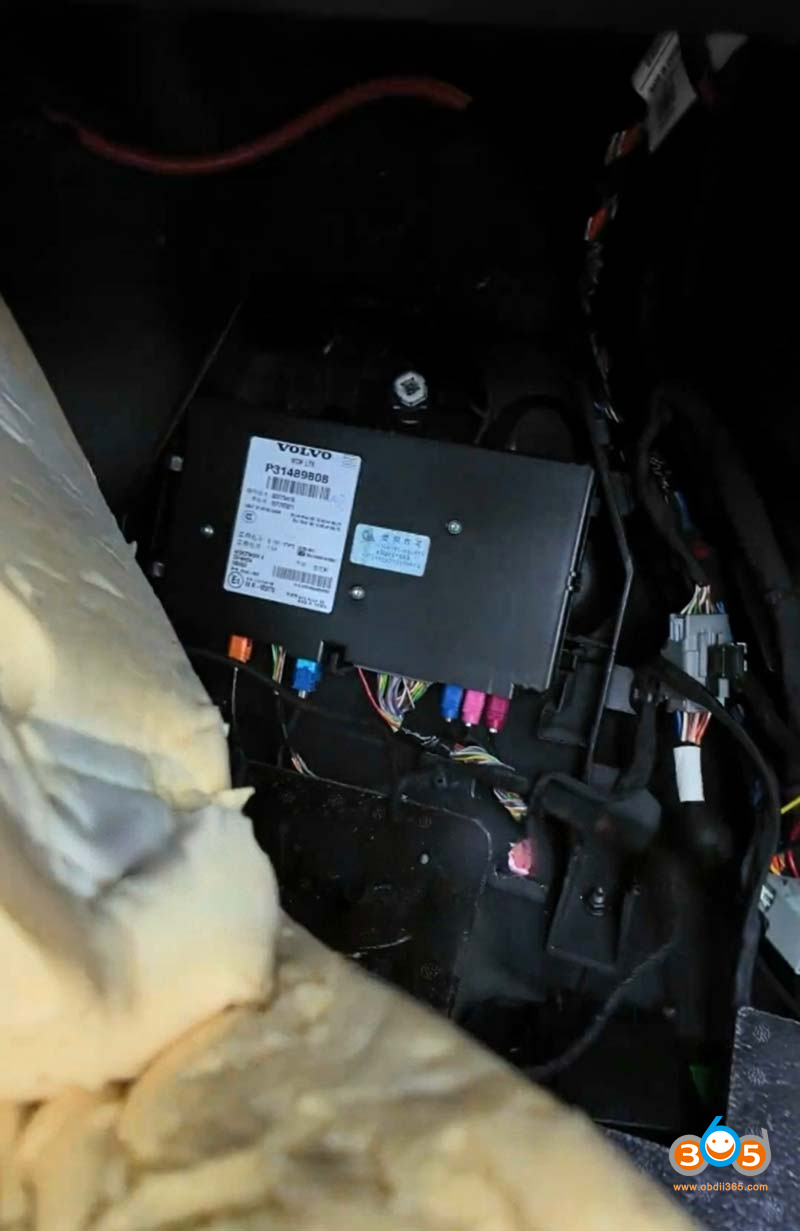
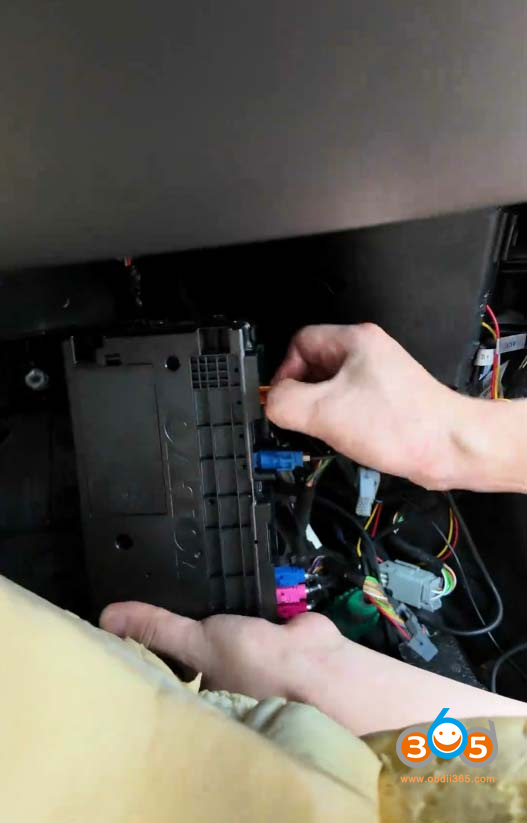
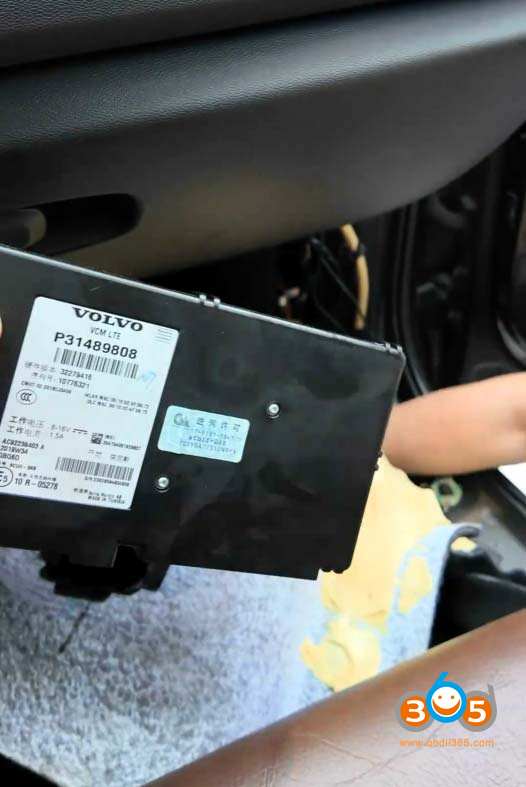
In Volvo SPA platform vehicles (XC90, XC60, S90 etc), mileage data is synchronized across all relevant modules throughout the vehicle.
Synchronization risk: The SPA platform’s mileage synchronization logic is highly stringent. Should a replacement instrument cluster (DIM) contain a mileage reading higher than the vehicle’s current stored value, the system will automatically overwrite and synchronize all modules to the higher mileage figure. This action is irreversible and cannot be rolled back.
Mileage data is synchronized among 4 electronic control units. The system defaults to and displays the highest mileage value among the 4 modules. Therefore, all 4 modules must be disassembled and modified to ensure consistency.
Disassemble 4 modules:
DIM: MB9DF126
CEM: SPC5748
VCM: SPC564B
Airbag/SRS: P32221372

Precautions for Module Removal:
-
Do not remove or install modules while the vehicle is electrically live.
-
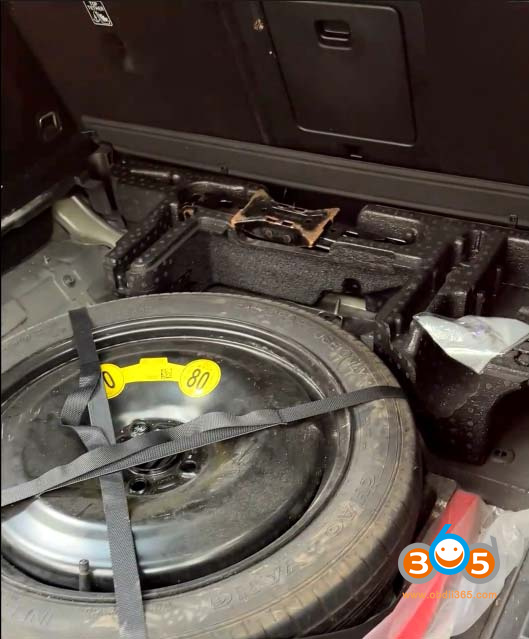
The battery is located under the spare tire in the trunk.Disconnect both the positive and negative terminals of the battery.


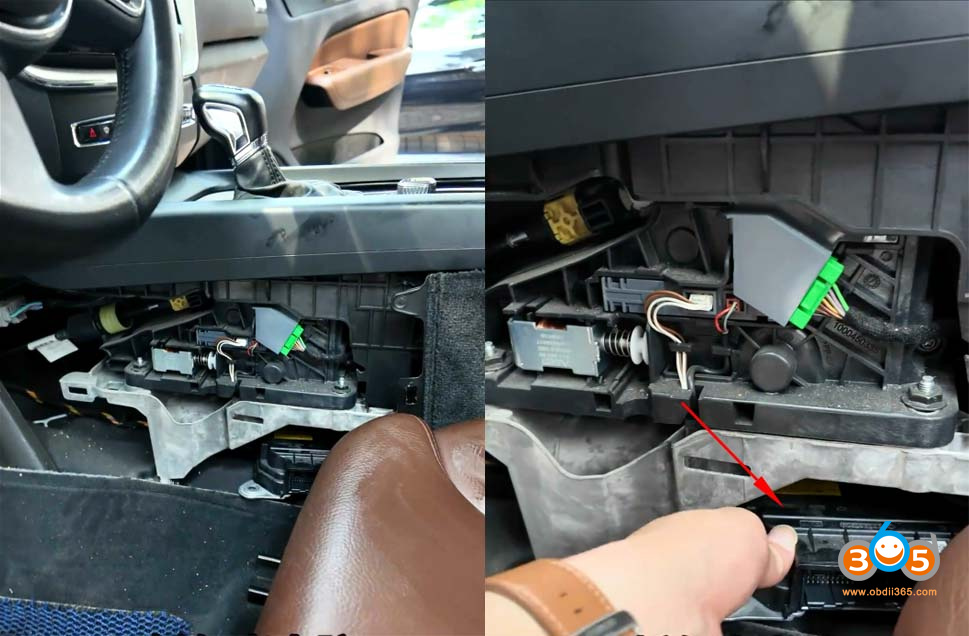
Remove the airbag module (SRS)– The airbag module is located beneath the center armrest/center console.

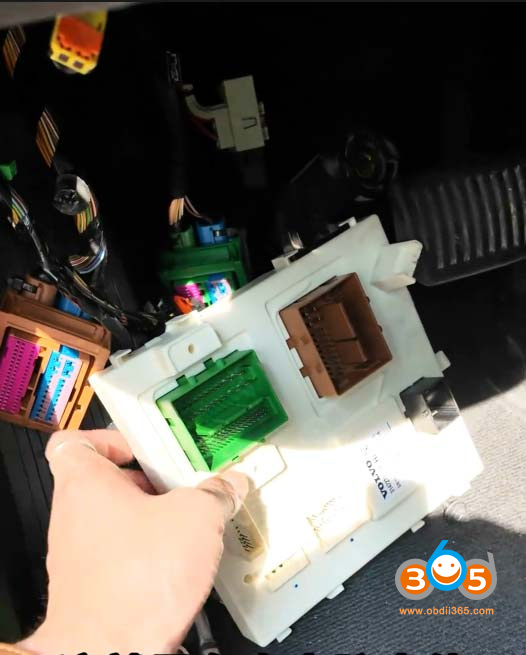
Remove the body control module (BCM/CEM)– The body computer is located on the left side under the steering wheel.


Remove the instrument cluster (DIM)–
Note:The dashboard trim panel at this location overlaps/presses against the instrument cluster housing. The center console (center stack)mustbe removed first to access and release the cluster.


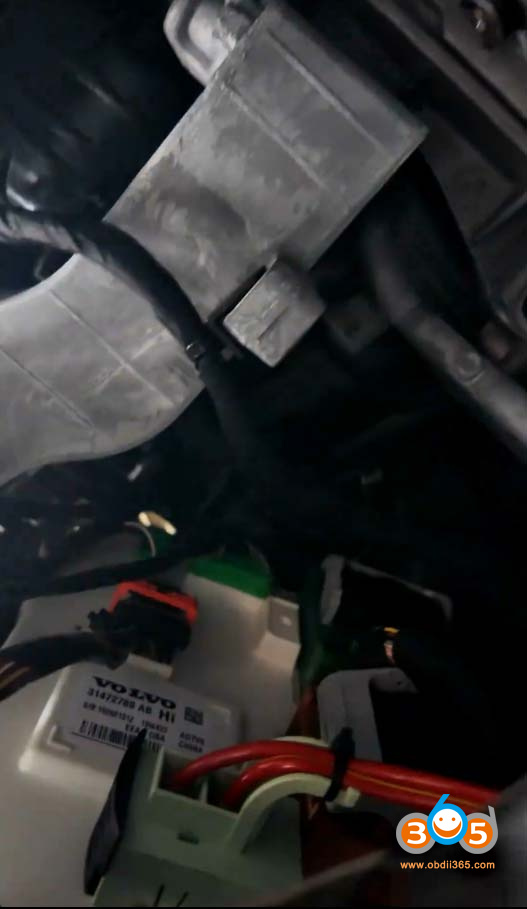
Remove the gateway module (CGW)– The gateway module is located under the front passenger footwell/carpet area. It may also be located on the right side of the trunk.


The mileage can be adjusted by reading the data from each of these modules individually.
What tool can be used for mileage adjustment?
OBDSTAR won’t do it.
SMOK can.
Additionally,CG100Xis scheduled to release a new firmware/software update shortly that will add mileage adjustment support for these new-generation Volvo models.

Posted by: jean at
08:53 AM
| No Comments
| Add Comment
Post contains 304 words, total size 14 kb.
September 02, 2026
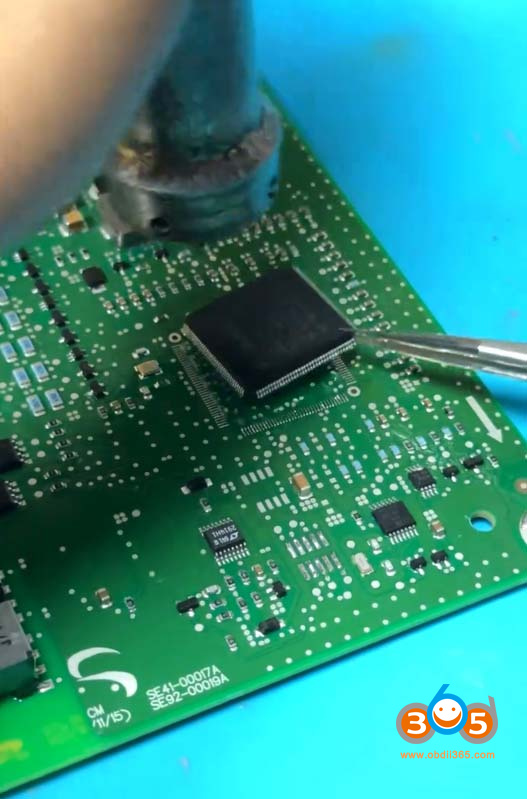
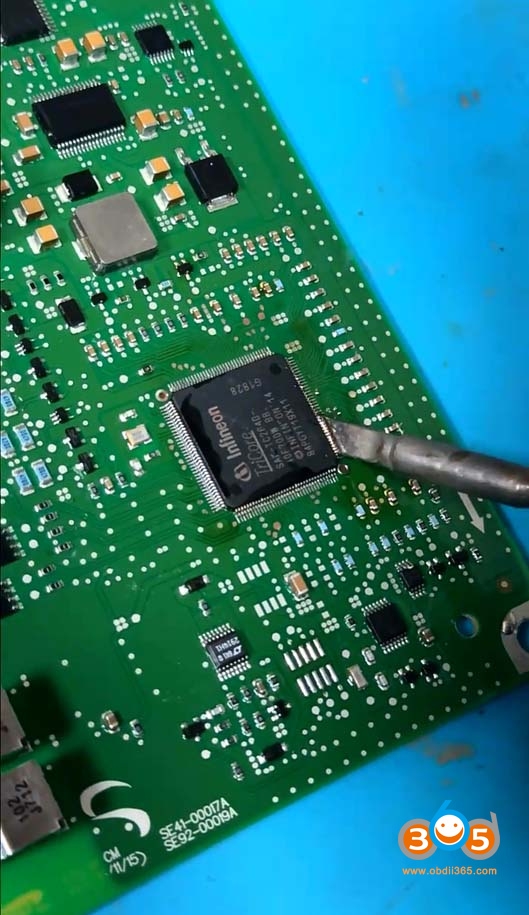
Here comes the solution for Land Rover P400 BECM BMS hybrid battery module fault code P0AA066.
Fault Code P0AA066:
Fault code P0AA0-66 in Land Rover and Range Rover hybrid (PHEV) vehicles means "HV/EV battery positive contactor circuit – signal has too many transitions/events,” indicating the Battery Energy Control Module (BECM) refuses to close the high-voltage safety contactors because internal counters or signals exceeded their safe limits.

Root case:
Internal BECM Chip Failure:Corrupted data or physical wear on an internal chip (such as the TC264 processor) inside the battery management unit.

Contactor Cycle Overflow:The module records "positive contactor switching cycles exceeded” due to false or excessive signal transitions.
Repair Solution:
Full Unit Replacement:Dealerships typically want to replace the entire high-voltage battery pack or BECM unit at a very high cost.
Component-Level Repair:Specialized auto-electric workshops can fix this without replacing the whole battery by replacing and reprogramming the specific faulty processor chip on the BECM board.
1). Replace with a brand new MCU chip.


2). Reflash data to the new MCU chip with proper programmers (such asJLR Pluto,Launch X431 PAD VII).
Posted by: jean at
09:17 AM
| No Comments
| Add Comment
Post contains 189 words, total size 6 kb.
32 queries taking 0.161 seconds, 215 records returned.
Powered by Minx 1.1.6c-pink.