May 09, 2023
Launch X431 release new Energy Battery Pack adapters and activation card for specific electric vehicles to perform battery pack analysis. The EV Diag Kit is compatible with the X431 PAD V andPAD VII.
How to activate Energy Battery Pack on PAD VII/Pad V?
1. User has already purchasednew energy battery pack diagnostic configurationof the X-431 PAD V/X-431 PAD VII from obdii365.com and received the Activation Card of new energy detection expansion package and diagnostic adaptor cables.
2. Choose either of the following methods to activate it on diagnostic scanner.
Method 1: via Job Menu
1).Update the main diagnostic app of the diagnostic scanner to V7.03.025 (X-431 PAD V) / V7.00.021 (X-431 PAD VII) or above and a new module "New Energy Diagnose” will appear on the Job menu. Refer to figure 1.

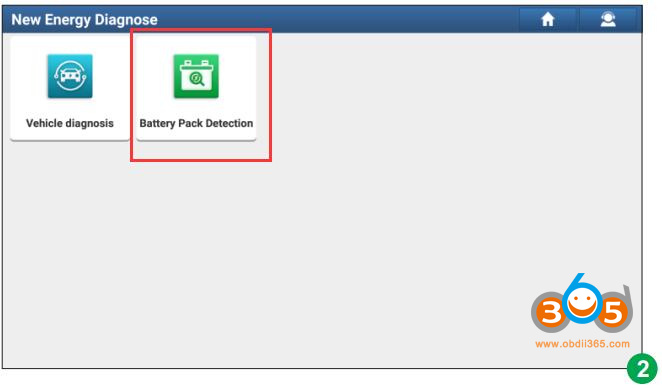
2).TapNew Energy Diagnoseto enter the following screen.

*Note: Vehicle Diagnosis in figure 2 covers all new energy vehicle diagnostic software included in the original product configuration. See figure 3

3).TapBattery Pack Detection, the system will identify whether the current user account has activated the battery pack diagnostic configuration or not.
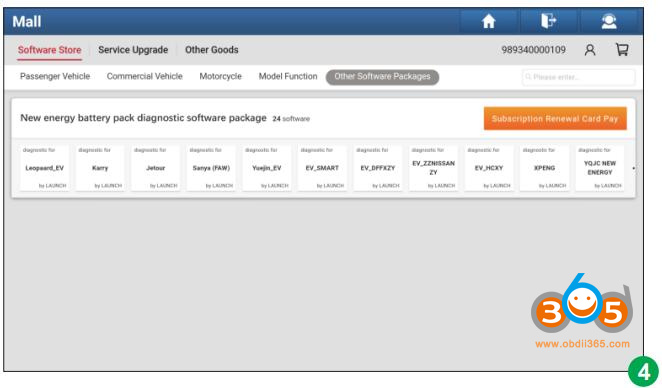
A.If not activated, it will navigate to the Mall module directly. See figure 4. TapSubscription Renewal Card Payand enter the 24-digit password to activate it.
After it is successfully activated, please go toSoftware Updateto download and install the diagnostic software of the battery pack.

B. If already activated but not downloaded the battery pack diagnostic software, it will go to Software Update to download. See figure 5.

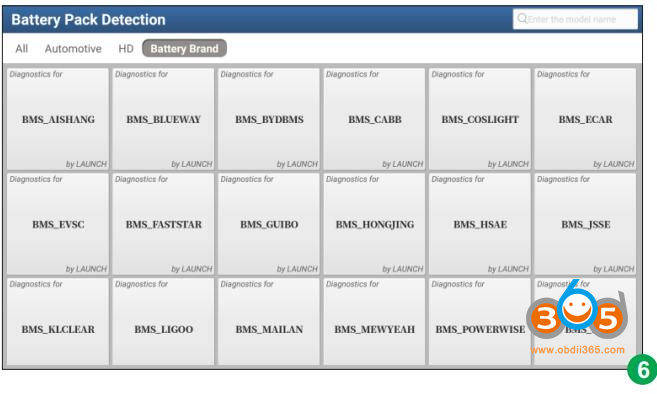
C. If already activated and downloaded the battery pack diagnostic software, it will enter the battery pack brand selection screen. See figure 6.

Method 2: via Mall
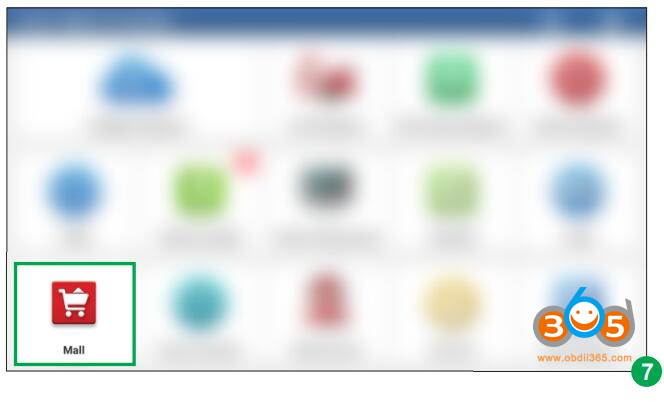
1).Update the main diagnostic app of the diagnostic scanner to V7.03.025 or above and tap Mall on the Job menu. See figure 7.

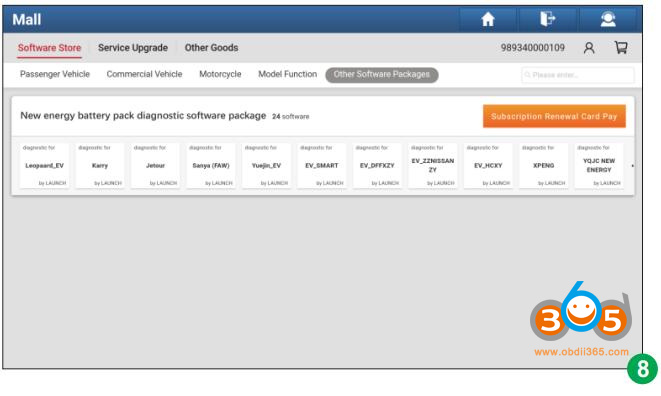
2).TapOther Software Packages, and then tapNew energy battery packdiagnostic software package to enter figure 8.

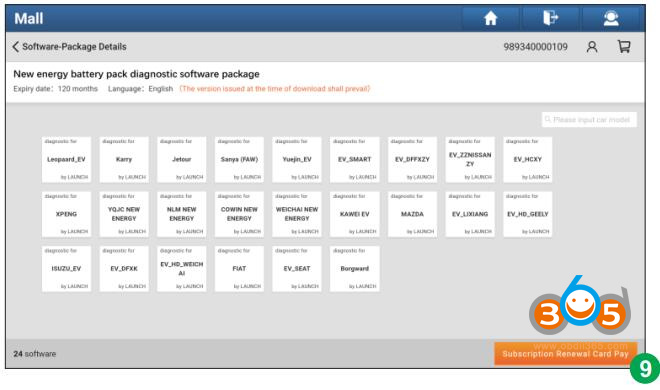
3).TapSubscription Renewal Card Payto enter figure 9.

4).TapSubscription Renewal Card Pay, enter the 24-digit password and tap Confirm to activate it. See figure 10 & 11.


5).After it is successfully activated, please go toSoftware Updateto download and install the diagnostic software of the battery pack.

www.obdii365.com
Posted by: jean at
06:38 AM
| No Comments
| Add Comment
Post contains 369 words, total size 14 kb.
35 queries taking 0.1019 seconds, 195 records returned.
Powered by Minx 1.1.6c-pink.