



July 07, 2021
How to use Xhorse VVDI2 to Adapt ECU Modules?
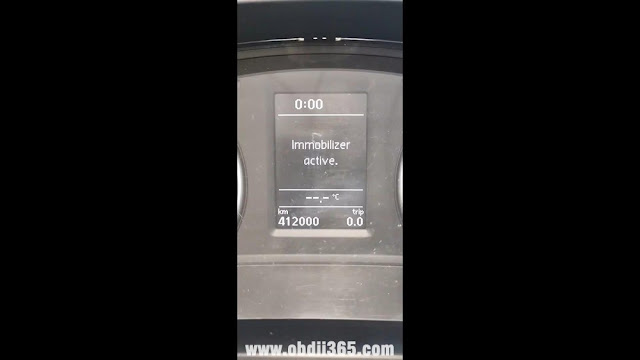
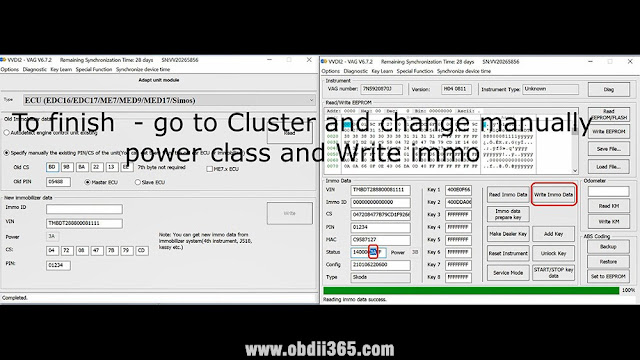
Problem:I haveXhorse VVDI2programmer, I want to adapt PCR 2.1 and I get "security access failed. operation not completed.â€
Solution:this is how to adapt PCR and similar
- How to adapt ECU to Micronas / NEC cluster via Xhorse VVDI2.

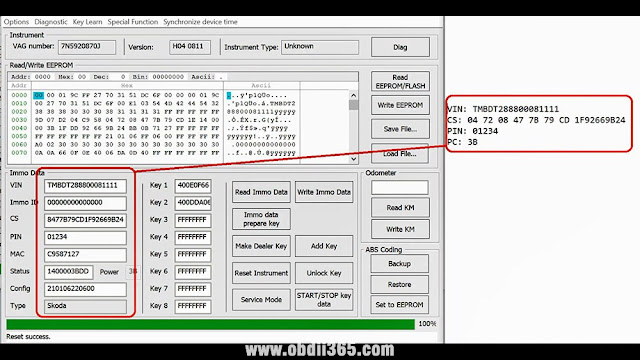
- Read cluster IMMO data and copy to TXT file

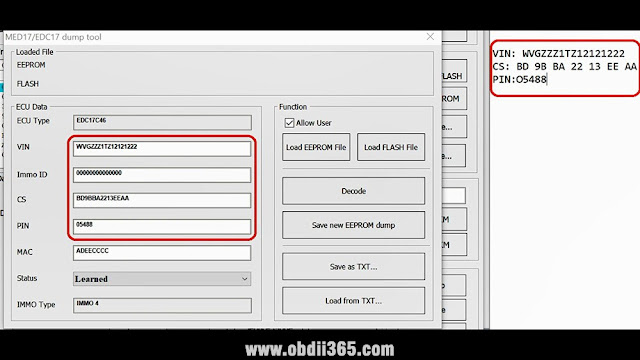
- Read IMMO data from ECU and paste to TXT file.

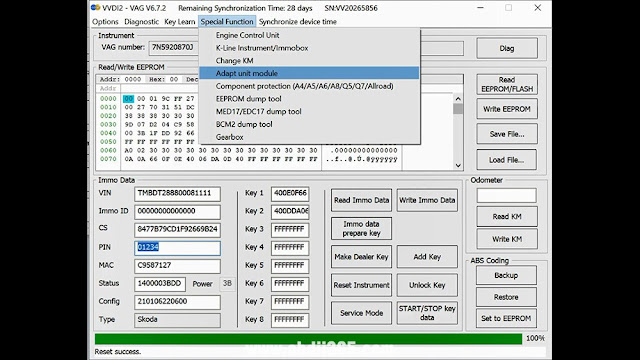
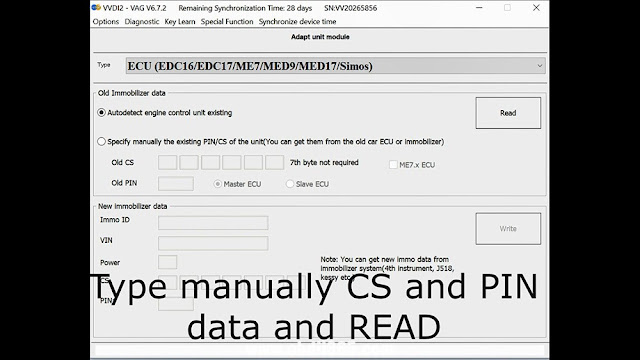
- Go to adapt unit module

- Select: ECU EDC16/17
Type manually CS and PIN data and Read.
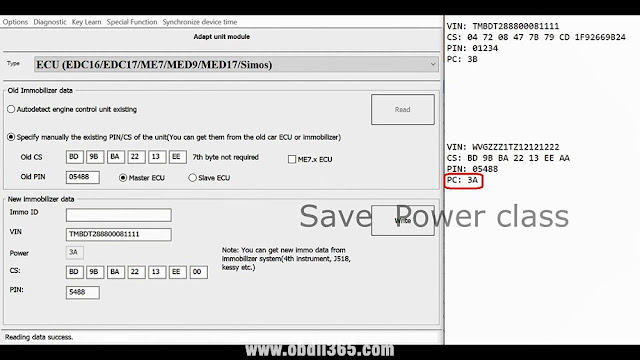
and wait till data read.

Save power class

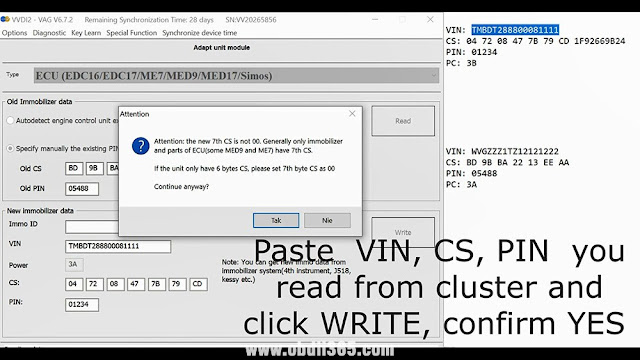
Paste VIN, CS, PIN, you read from cluster and click "Writeâ€, confirm yes.
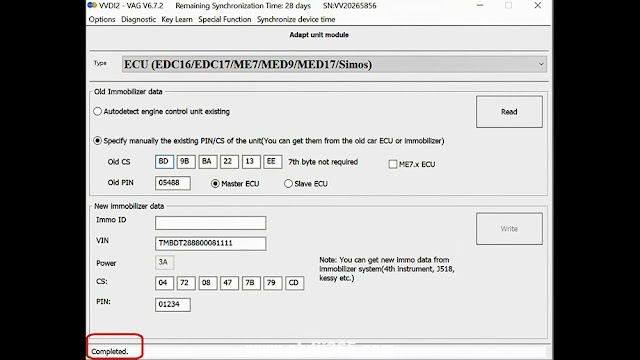
Completed.


To finish – go to cluster and change manually power class and write immo.

Enjoy!
https://www.obdii365.com/service/how-to-adapt-ecu-with-xhorse-vvdi2.html
Posted by: jean at
08:29 AM
| No Comments
| Add Comment
Post contains 121 words, total size 6 kb.
26kb generated in CPU 0.0135, elapsed 0.096 seconds.
35 queries taking 0.0875 seconds, 199 records returned.
Powered by Minx 1.1.6c-pink.
35 queries taking 0.0875 seconds, 199 records returned.
Powered by Minx 1.1.6c-pink.

